
LinkedIn Outreach Platform
250 Personalised Connections Per Week — Fully Automated
An internal sales tool built for TechEmulsion's own outreach. Paste a LinkedIn search URL and the system scrapes profiles, enriches context, generates a personalised AI note, and sends the connection request — with under 1 hour of human effort per week.
Connections / week
Human effort / week
Industry
Sales & Marketing Automation
Client
TechEmulsion (Internal Sales Tool)
Engagement
End-to-end AI Outreach Automation Tool
Timeline
8 weeks total (4-week n8n prototype, 4-week FastAPI rebuild)
Outcome
~250 connections/week vs 20–40 manual; human effort under 1 hour/week
Tech Stack
Python, FastAPI, Playwright (Chromium), Qwen via DashScope, Supabase, React 19, Vite, Server-Sent Events
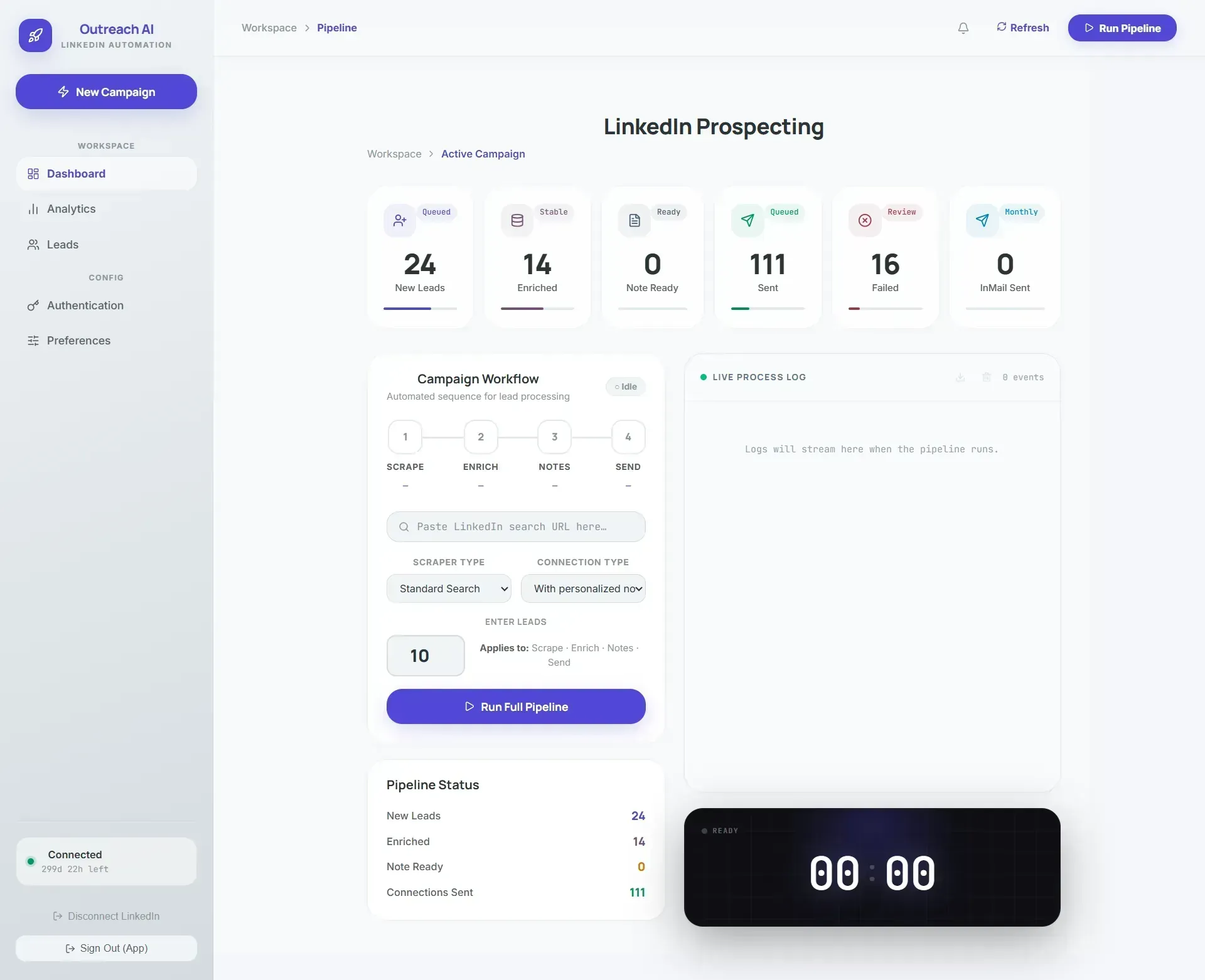
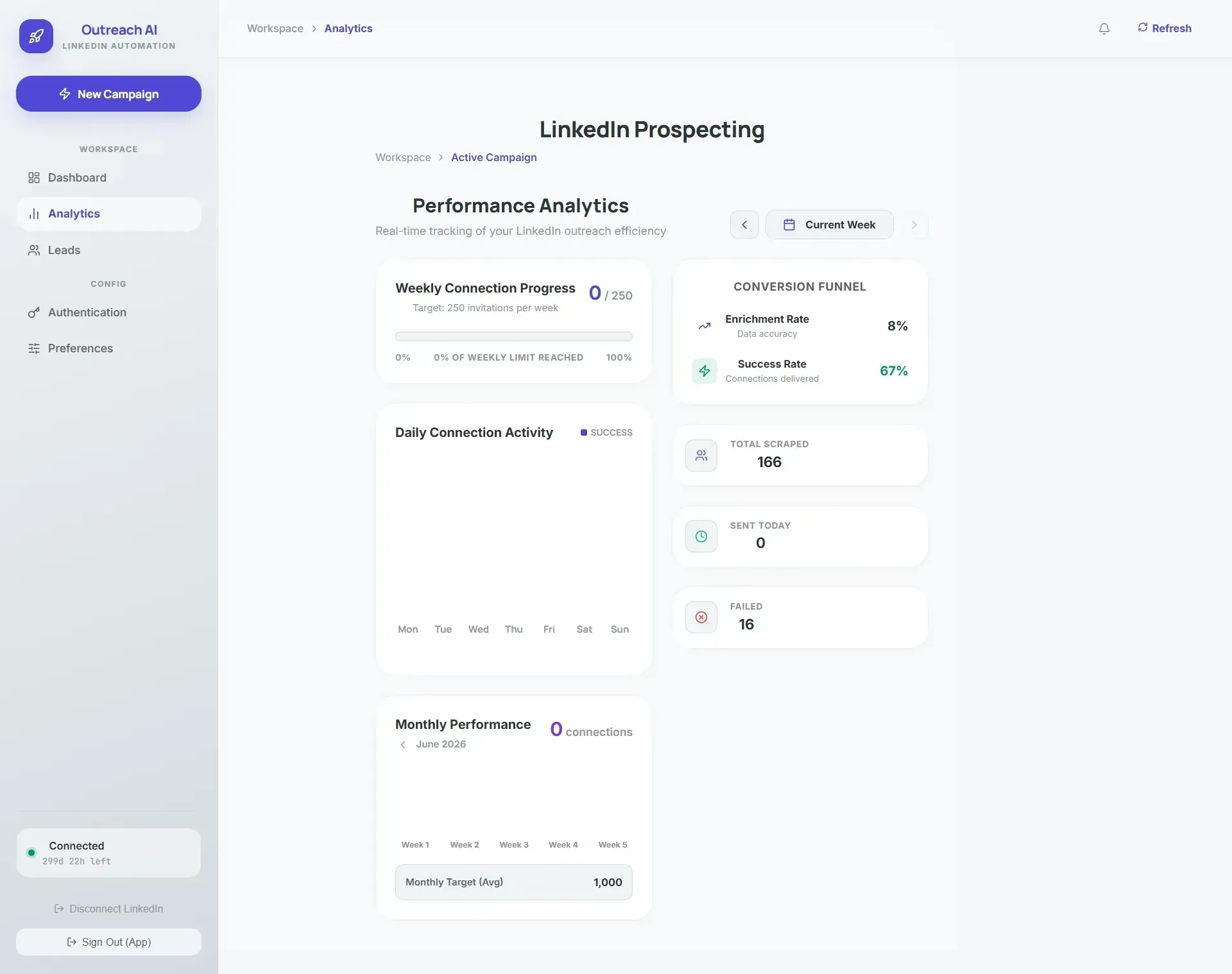
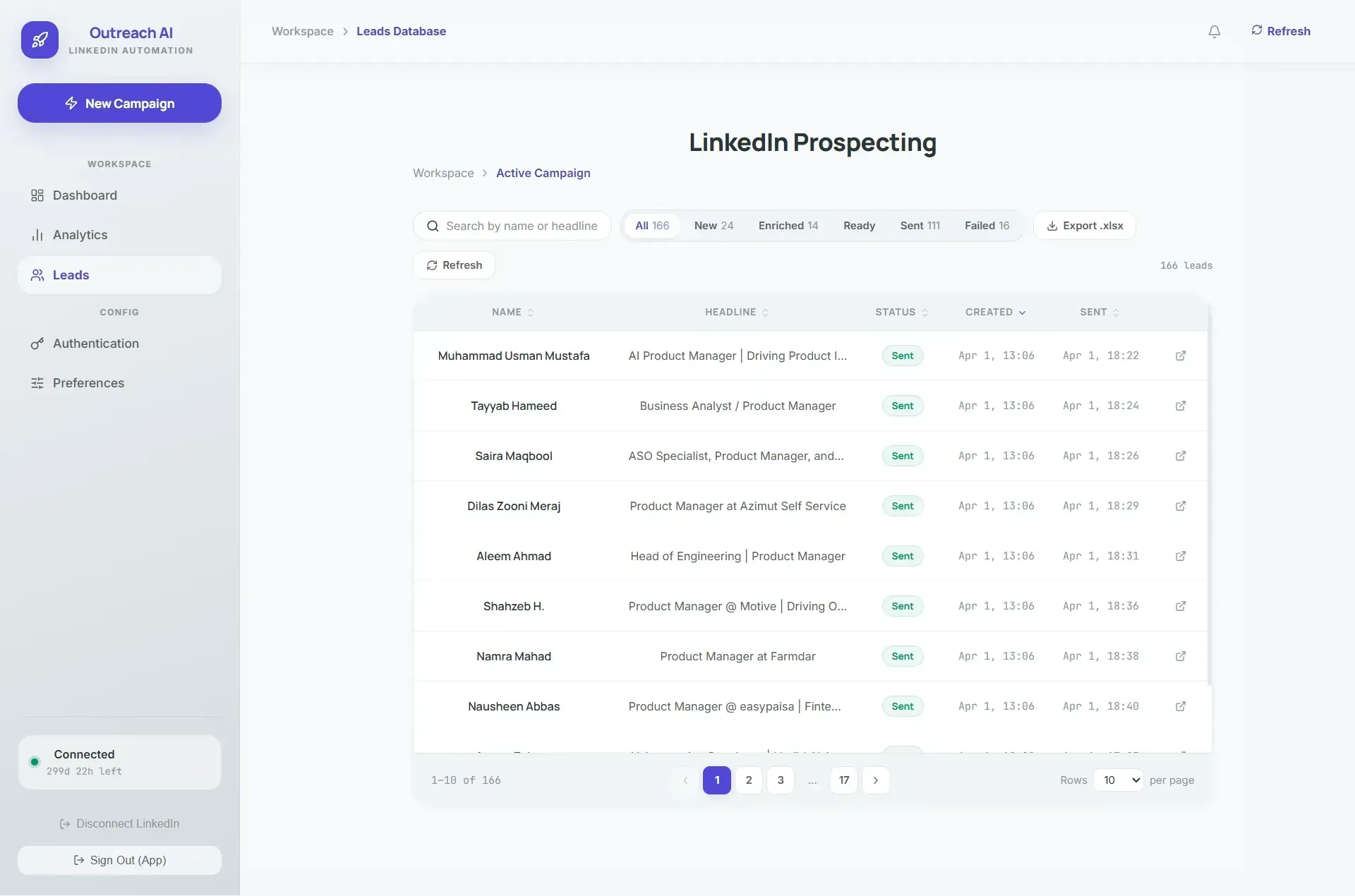
A look inside the live platform — scroll to explore →
The Business Problem
Manual LinkedIn outreach takes 3 to 5 hours a day per rep. Personalization is what makes connection requests work — but personalization is exactly what takes the time. Most reps skip it.
Existing tools handle pieces of the pipeline. But stitching them together is fragile, and none of them write a personal note that actually feels personal. TechEmulsion needed a single tool that handled the full pipeline — and kept working when LinkedIn changed its UI.
01.
Manual outreach takes 3–5 hours per day per rep
02.
Personalisation takes time — most reps skip it
03.
Existing tools cover only pieces of the pipeline
04.
Stitching tools together is fragile and breaks often
05.
LinkedIn UI changes constantly — selector-based tools break on every frontend deploy
The Pipeline: Paste URL, System Does the Rest
Scrape: Pulls profile data, bio, and work history for every result in the LinkedIn search URL.
Enrich: Adds context the AI needs — company size, recent activity, shared connections — to make the note relevant.
AI Note:Generates a personalised connection request based on the prospect's actual background — not a template with first-name substitution.
Send: Submits the request through LinkedIn. Operators set daily limits, watch live progress via Server-Sent Events, and cancel anytime.
Key Technical Decision: MCP Over Hardcoded Selectors
LinkedIn changes its UI constantly. Selector-based automation breaks every time they ship a frontend change — and they ship often.
We used MCP to pass LinkedIn's accessibility tree directly to the LLM, letting it decide which button to click and where to act, instead of hardcoded selectors or XPath.
By giving the LLM the live page structure and letting it reason about which element to interact with, the tool keeps working through UI updates without code changes.
The Result
~250 connections per week, fully automated. Manual benchmark was 20 to 40 per week. Each connection takes ~2 minutes of automated runtime, so 250 per week runs ~8 hours in the background unattended.
~0
Connections per week
20–40 manual → ~250 automated
<0 hr
Human effort per week
20–35 hrs manual → <1 hr/week
0 hrs
Automated background runtime
unattended, for 250 connections
What We'd Do Differently
Skip the n8n prototype phase. Go straight to FastAPI. The rebuild cost 4 weeks we didn't need to spend.