
Field service SaaS with dispatch, recurring jobs, and payouts
A multi-tenant field service management platform for home service businesses
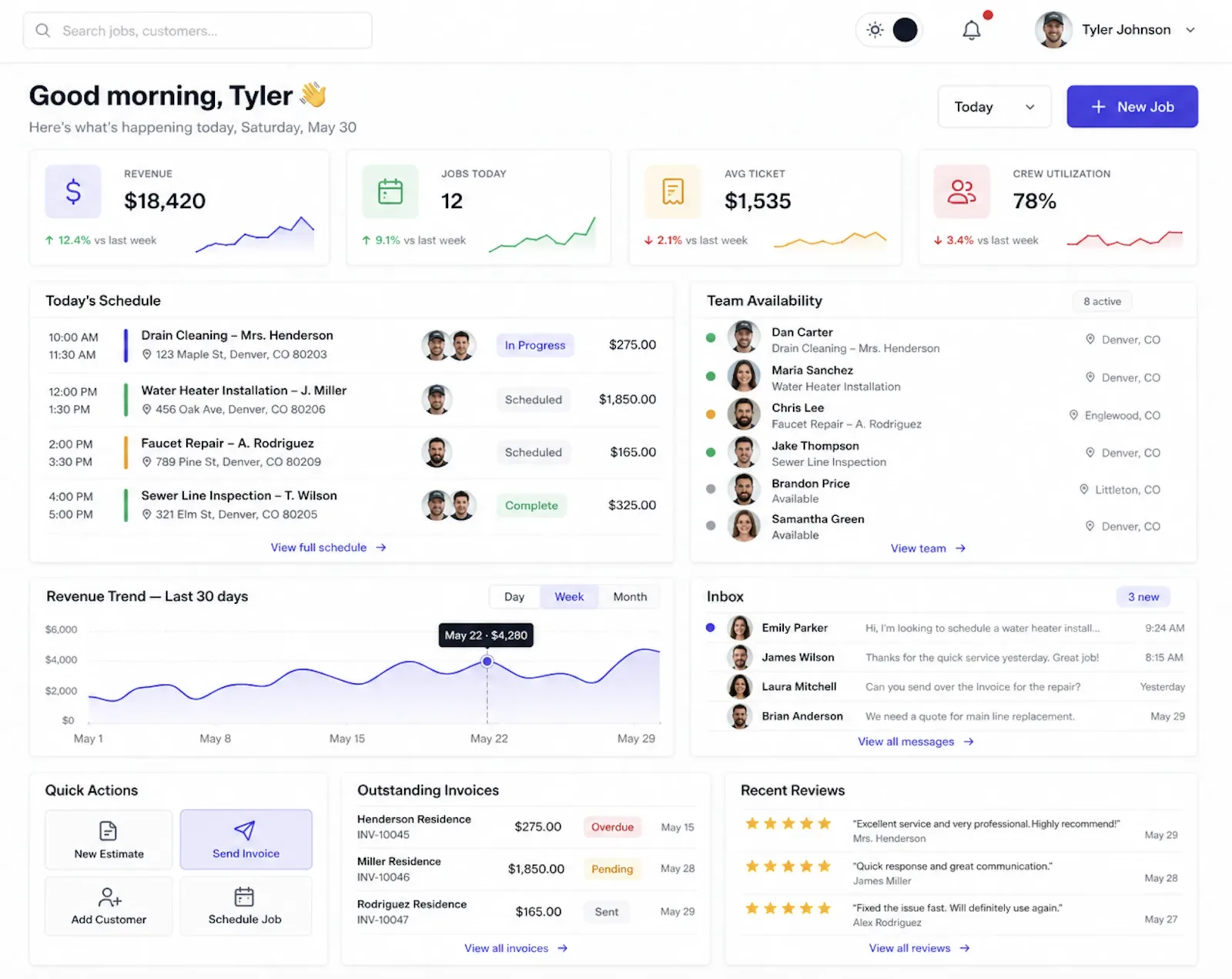
Service companies run jobs from calendars, spreadsheets, text threads, and a payment dashboard that never agree with each other. We built JobTrekPro so one record follows the work from customer to estimate to job to invoice to payout, with a web dashboard for the office and a mobile app for the crew.
Industry
Field service and home services
Product
JobTrekPro, a TechEmulsion SaaS
Engagement
Multi-tenant SaaS with a web dashboard and a mobile field app
Outcome
Customers, jobs, dispatch, invoices, and payouts in one system
Tech Stack
React, Node.js, Prisma, PostgreSQL, Redis, Expo, Stripe Connect, Twilio, Google Maps, AWS
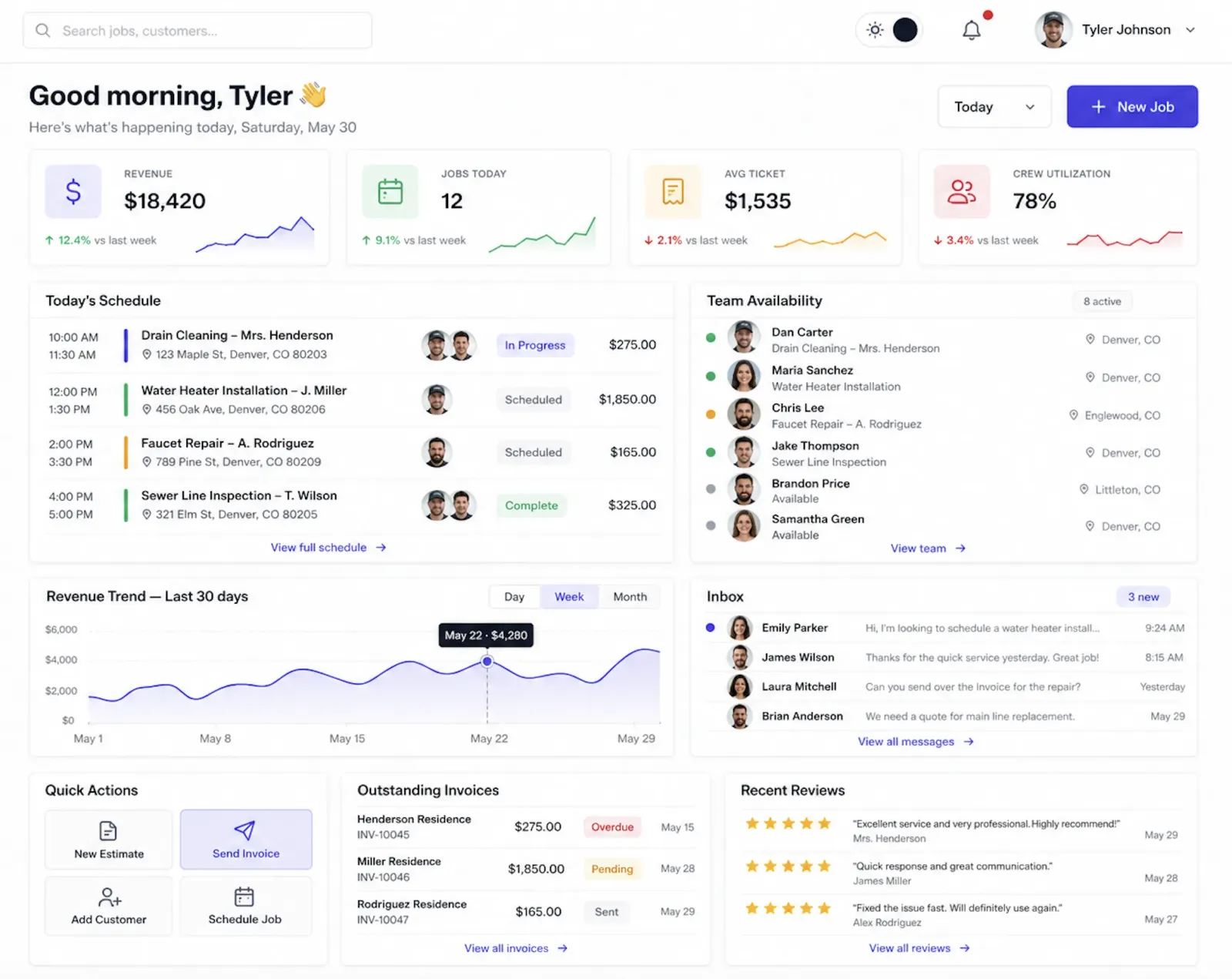
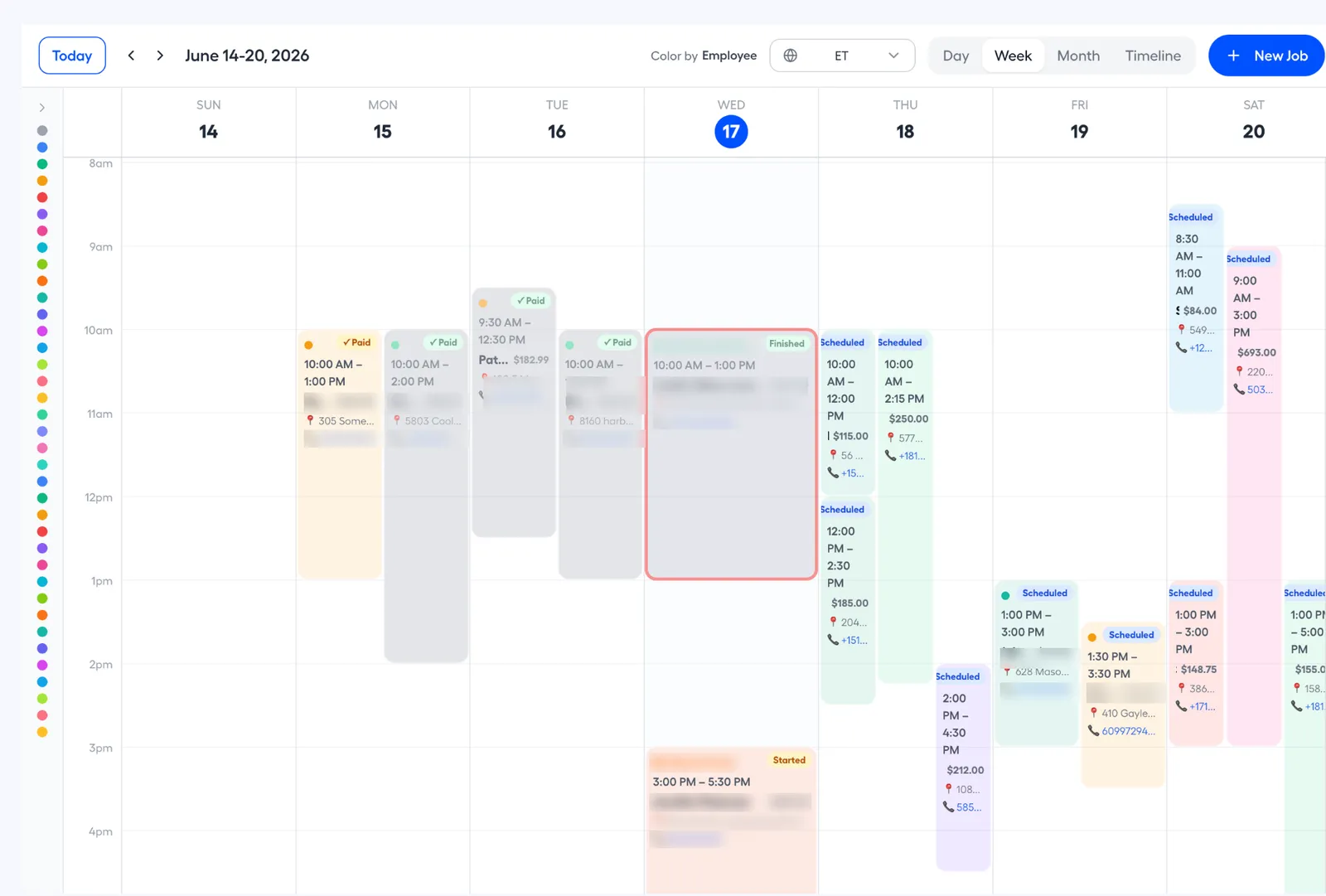
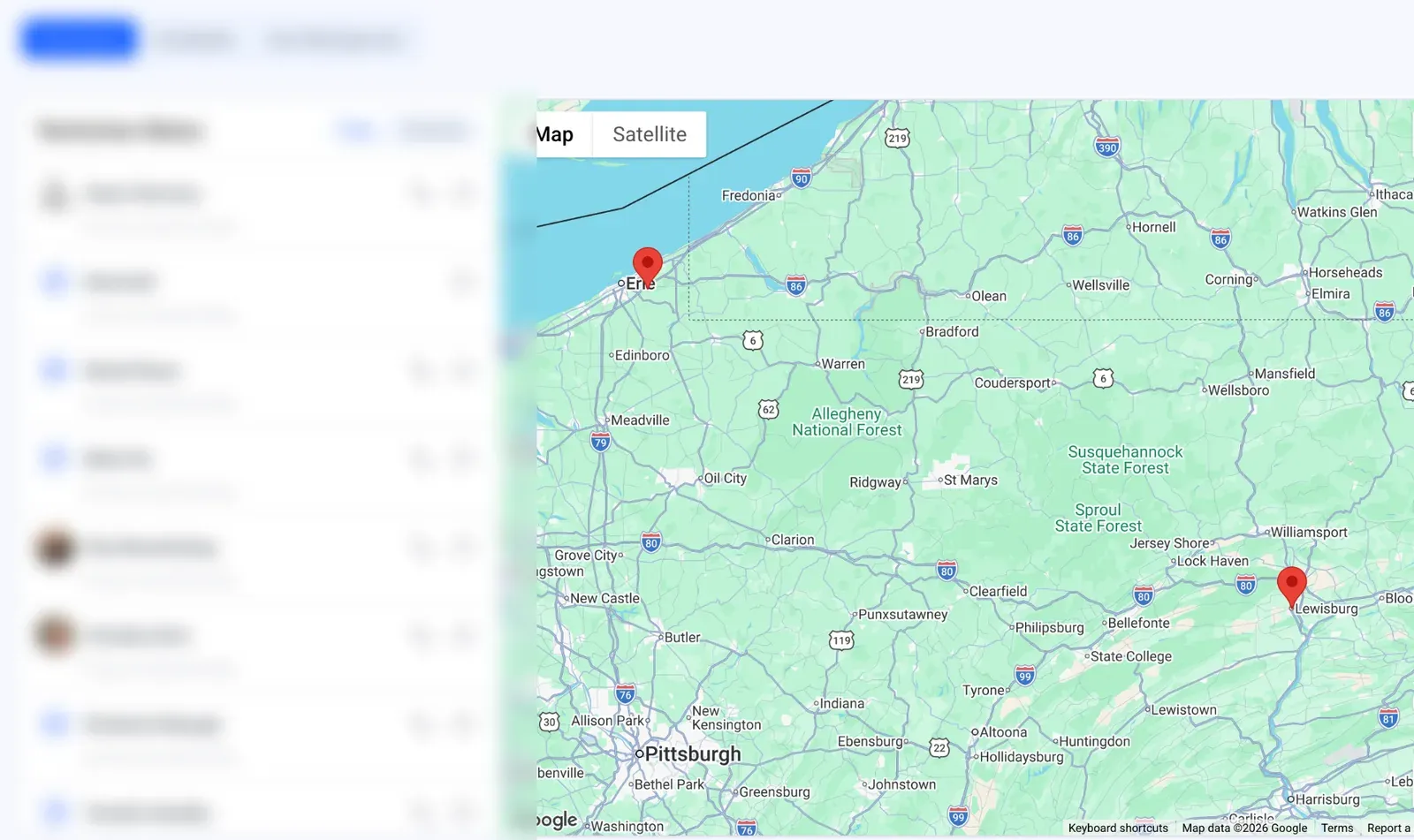
A look inside the live platform — scroll to explore →
What does a field service management SaaS need to cover?
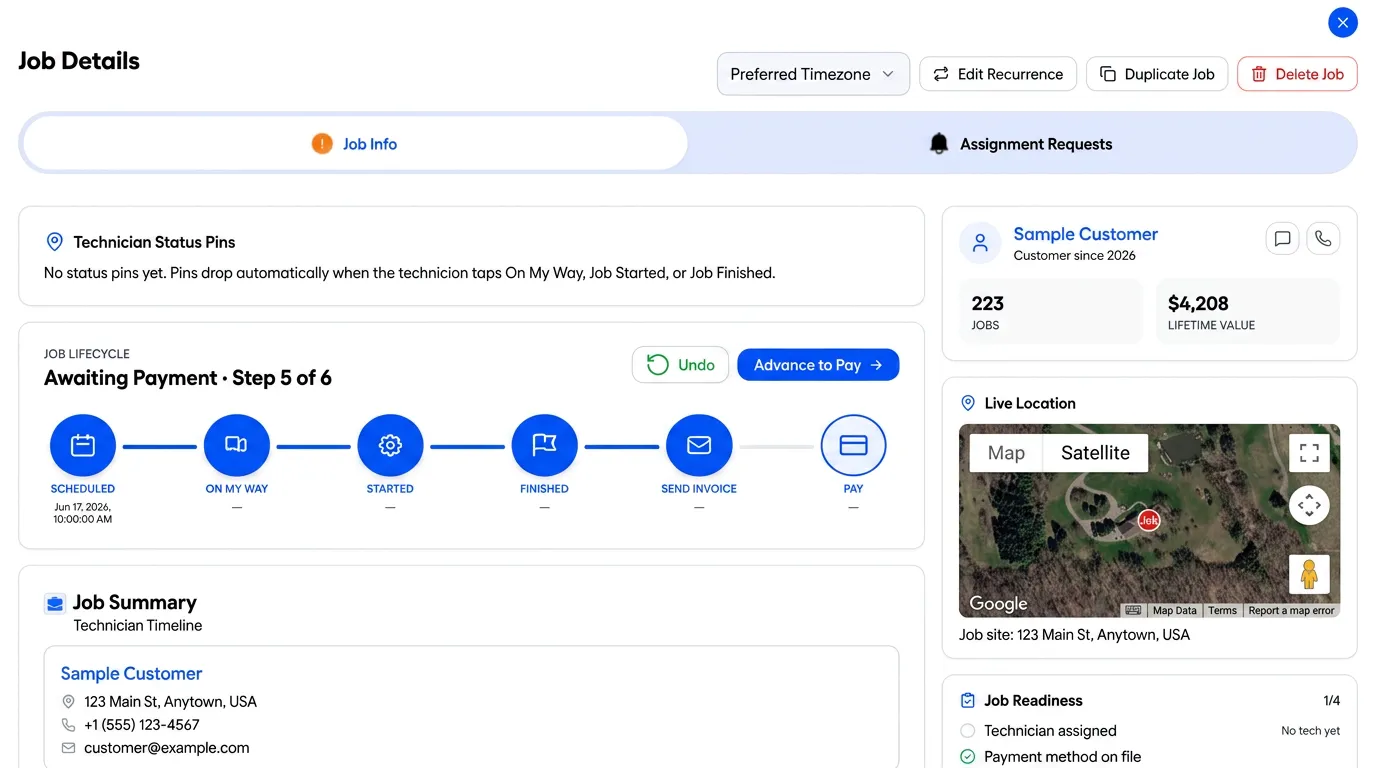
The whole job, not one slice of it. A customer calls, the office writes an estimate, the estimate becomes a job, the job lands on the calendar, a technician gets assigned, the work gets done, an invoice goes out, and the payment comes back. JobTrekPro keeps all of that on one customer record.
That is the difference from a CRM plus a calendar plus an invoicing tool. In JobTrekPro the invoice is linked to the job, the job is linked to the customer, and the text thread sits next to both. Nothing is typed twice, and the owner can see what is scheduled, done, unpaid, or recurring from one dashboard.
How do office staff and virtual assistants work without owner access?
With roles. JobTrekPro has three of them: owner or admin, office staff or virtual assistant, and technician or contractor. Each role sees the modules it needs and nothing more.
This came straight from how service businesses hire. Many owners hand daily scheduling to a remote assistant, and that person needs to create jobs, move appointments, and answer customers without touching billing or company settings. Plan limits on the subscription decide how many users a business can add.
How do recurring jobs get created without someone doing it by hand?
A background worker does it. The office sets a recurrence pattern once, for example a standard clean every two weeks. A Redis-backed queue and a separate worker process on AWS check what is due, create the next job records, and update the next occurrence.
Because the worker runs on its own, repeat work shows up on the calendar whether or not anyone is logged in. Each generated job becomes part of the customer's service history, so the crew can see what was done last time before they arrive.
How does one SaaS platform take payments for many businesses?
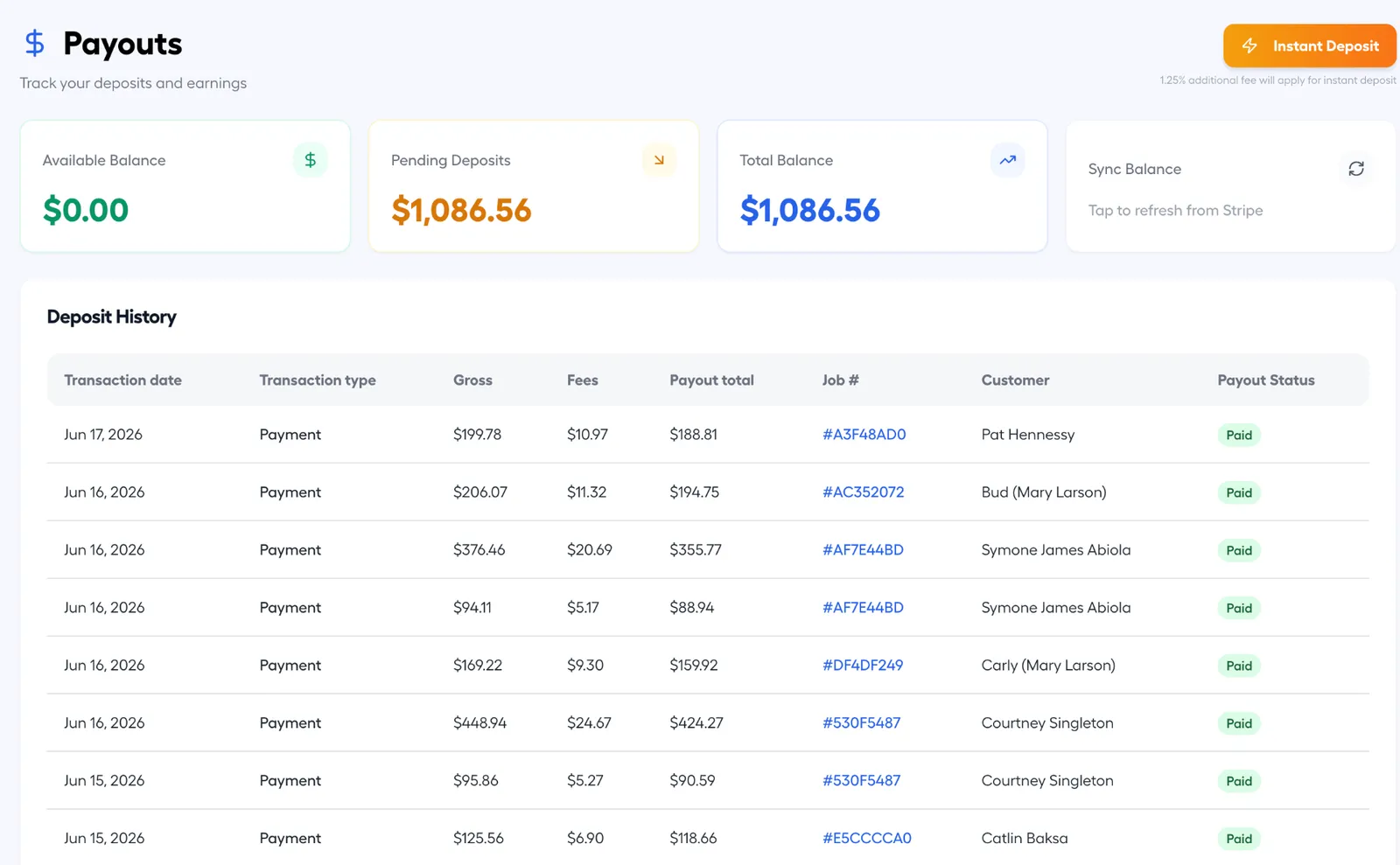
Stripe Connect with destination charges. Each service business connects its own Stripe account during onboarding. When a customer pays an invoice link, JobTrekPro creates the charge, Stripe routes the funds to the business's connected account, and the platform keeps an application fee on the same transaction.
The app then tracks every payout record: Stripe payout id, status, amount, expected arrival, and payout method. The owner sees when money is moving without opening Stripe. Under this model the platform carries refund and dispute exposure, so the design includes transfer reversals as the recovery path.
How do customer texts stay with the business instead of a personal phone?
Every message goes through Twilio on a number the business owns. Job confirmations, schedule changes, and payment links go out from the app, and replies come back into an inbox inside JobTrekPro, tied to the customer and the job.
The hard part was not the code. Business texting in the US needs A2P 10DLC registration, opt-in language, and campaign approval before a single message sends. We handled that setup as part of the build, because a texting feature that carriers block is not a feature.
What do technicians see on their phone?
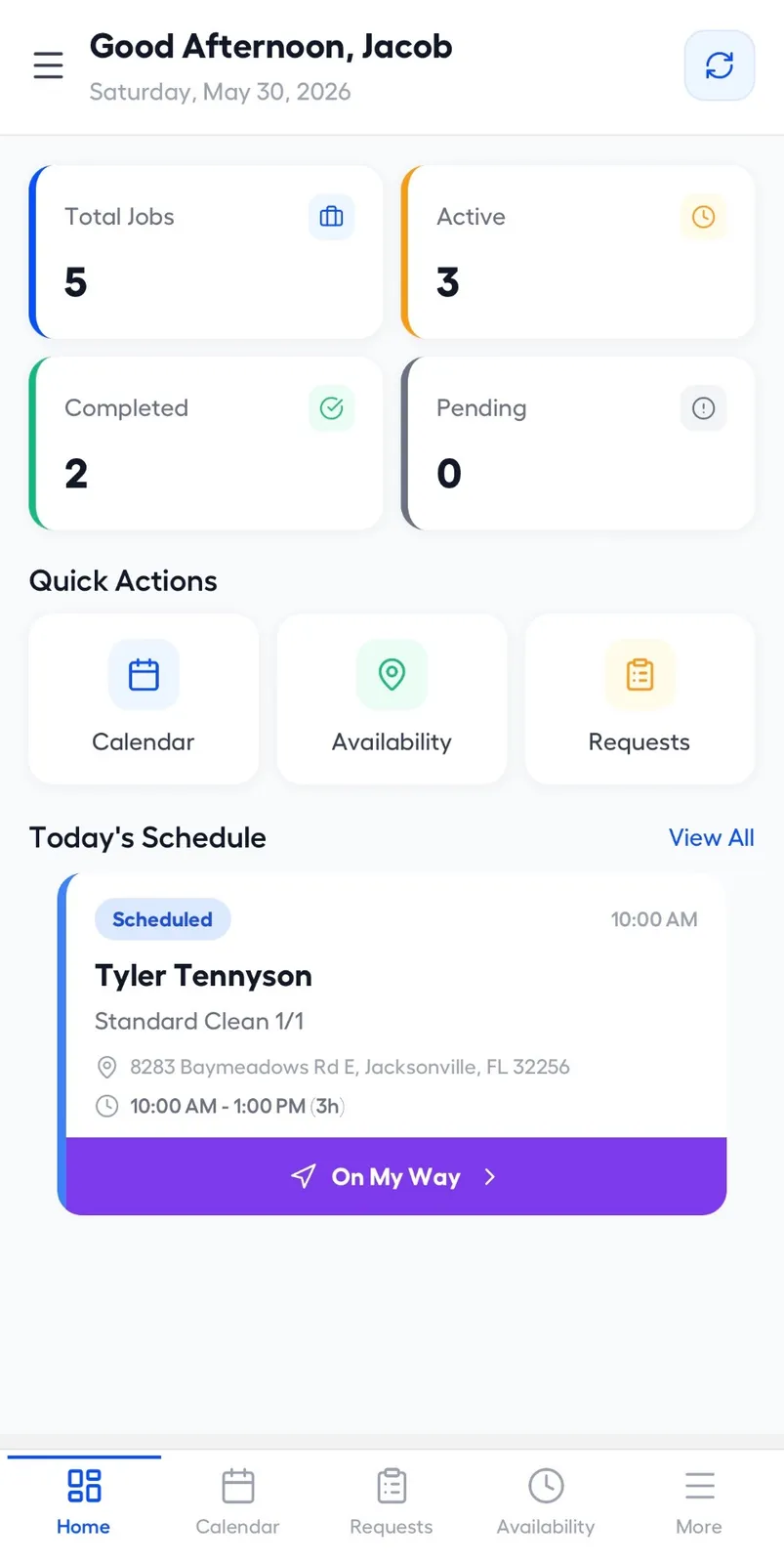
Their day. The mobile app, built with Expo, opens on today's jobs with counts for active, completed, and pending work. Each job card shows the customer, the address, the time window, and an On My Way button that updates the office.
From there a technician can open job details, check availability, and update status as the work moves along. Google Maps handles addresses and map context so the crew is not retyping locations. The first mobile release focused on this technician view, with office and owner features living on the web dashboard.
How does it connect to accounting?
Through a QuickBooks Online sync that is designed but not yet live. The rule we set is that JobTrekPro stays the source of truth for job-linked invoices. Customers and invoices flow out to QuickBooks, and payment status flows back, but an edit in QuickBooks cannot restructure an invoice that belongs to a job.
That rule matters because the invoice is not a standalone document here. It is the financial half of a job record, and letting an accounting tool rewrite it would break the link the whole product depends on.
What is JobTrekPro built on?
A React dashboard on the web, an Expo mobile app for the field, and a Node.js backend with Prisma on PostgreSQL. Redis backs the recurring-job worker, and the backend runs under PM2 behind Nginx on AWS with a separate worker instance.
Integrations cover Stripe Connect for payments and web subscriptions, RevenueCat for Apple and Google in-app billing, Twilio for SMS, Google Maps for addresses, Google Sign-In for login with the backend verifying the token and issuing its own JWT, and Pusher for live updates. The product later shipped under the JobTitans brand, on the same platform.
What the platform covers
JobTrekPro replaces a stack of disconnected tools with one operating system for a service business.
3
User roles
Owner, office staff, technician
2
Apps
Web dashboard and mobile field app
13
Product modules
From customer records to payouts
6+
Integrations
Stripe Connect, Twilio, Google Maps, and more
Frequently asked questions
Common questions about JobTrekPro and field service SaaS.