Since May 2026, my team at Tech Emulsion has been building GoHighLevel AI automation for agencies that serve local businesses, and the most expensive mistake we caught was building something GHL and Instantly already did. We listed what GHL could already do, then what it could not. The second list became the scope of the custom work, and it was shorter than we first planned.
I am writing this for an agency owner who already runs client accounts in GoHighLevel for HVAC companies, plumbers, salons, and auto repair shops. Leads come in, follow-up is inconsistent, and your team keeps moving information between systems. You have seen an AI agent demo and want to know whether something like it can run inside the setup you already pay for.
The question you are stuck on is whether to handle this inside GHL or build something on top of it. This post is my answer, with the checklist I use, two client builds, two mistakes, and the maintenance bill nobody puts in the demo.
What should GoHighLevel own, and what needs a custom build?
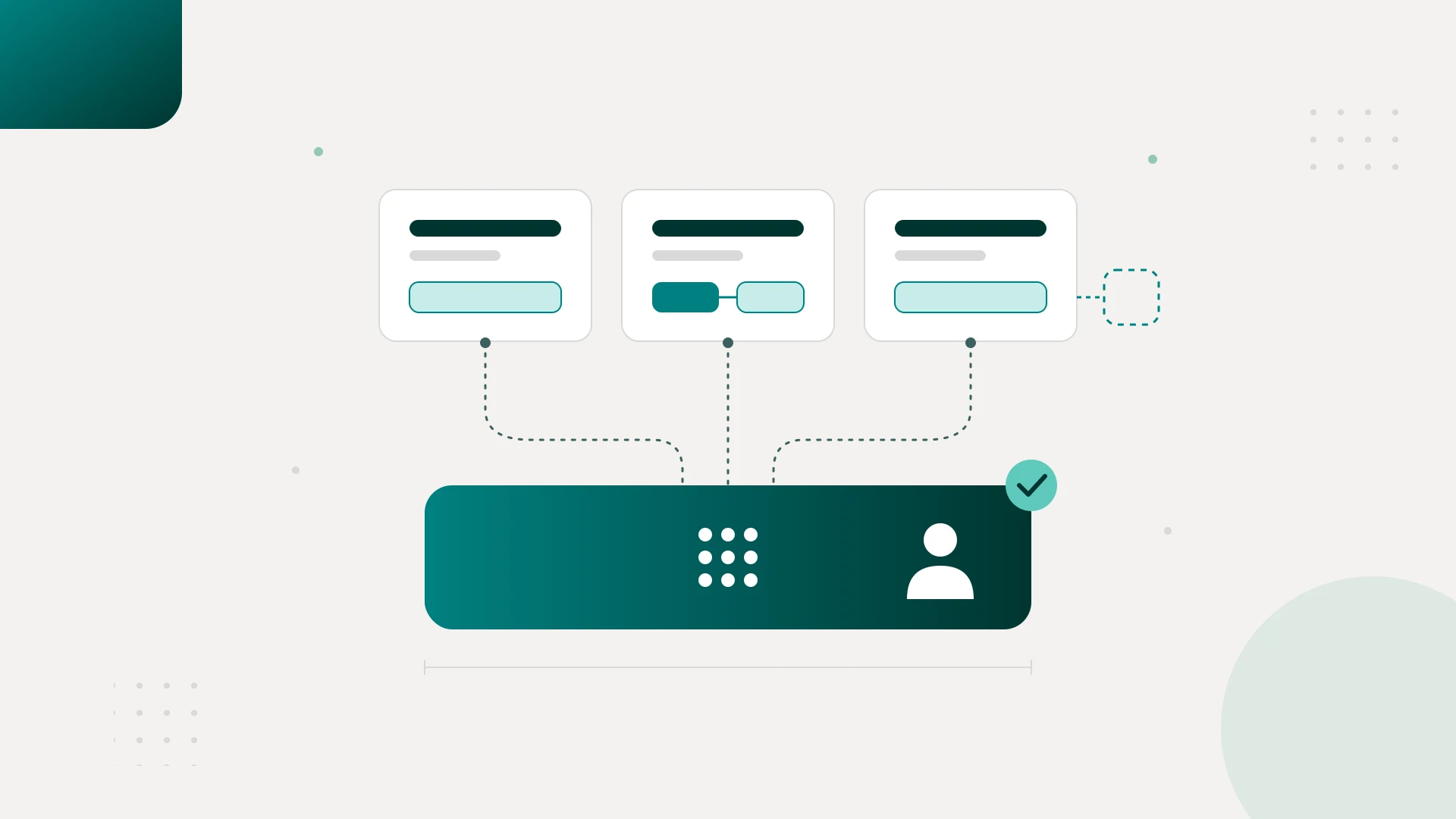
Let GoHighLevel own lead assignment, follow-up sequences, calendars, pipeline stages, and team notifications. Build a custom layer only when a workflow needs data from another system, duplicate protection across tools, a handoff rule GHL cannot enforce, or interpretation of messy inquiries. Keep that layer narrow enough to describe in one sentence.
I want you to leave this post able to answer three questions: what GHL should own, what actually needs custom development, and who will keep the whole thing working.
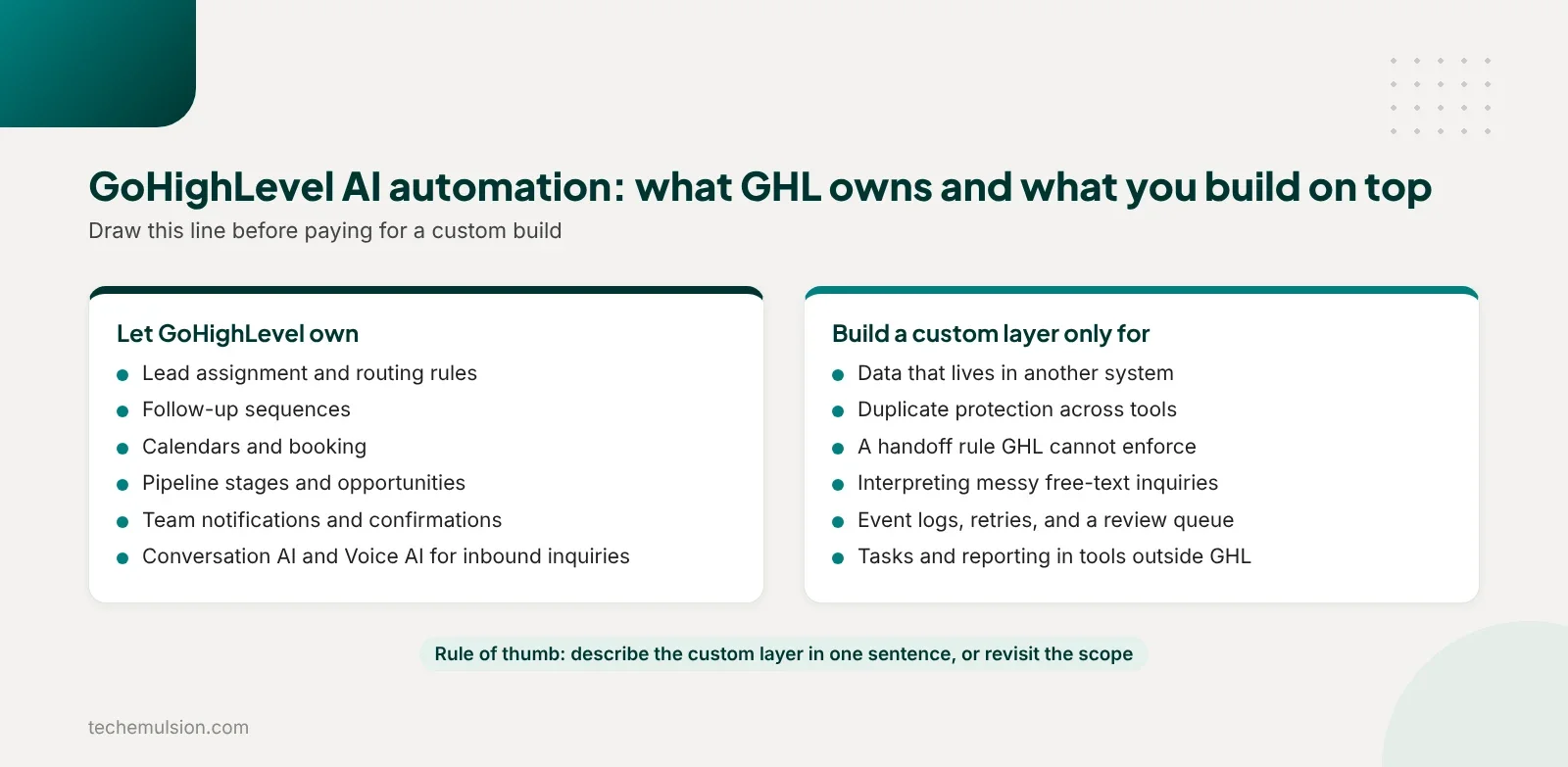
Start with native GHL features, then look for the gap
My unpopular opinion in this market is that an AI automation agency should be willing to recommend a smaller build, even when that means a smaller project fee. If the requirement is to assign a lead, send a reminder, update a pipeline, or notify someone, I check whether GHL can do it natively first. Adding an external automation platform and a language model needs a specific justification.
The question I care about is this: what decision in this workflow requires AI? If a lead's location determines which team gets it, that is a rule. If someone writes a messy paragraph explaining their problem and we need to work out which service they want, that is a reasonable use of AI. Even then, I want the output validated before it changes anything important.
The custom layer usually belongs before and around the conversation. It retrieves information from another system, resolves duplicate records, checks eligibility, or handles an exception. The conversation, the calendar, the CRM, and the follow-up stay in GHL.
This is the same test we apply to every build at Tech Emulsion. The best system uses the least autonomy necessary to remove meaningful work.
The seven questions I ask before building on top of GoHighLevel
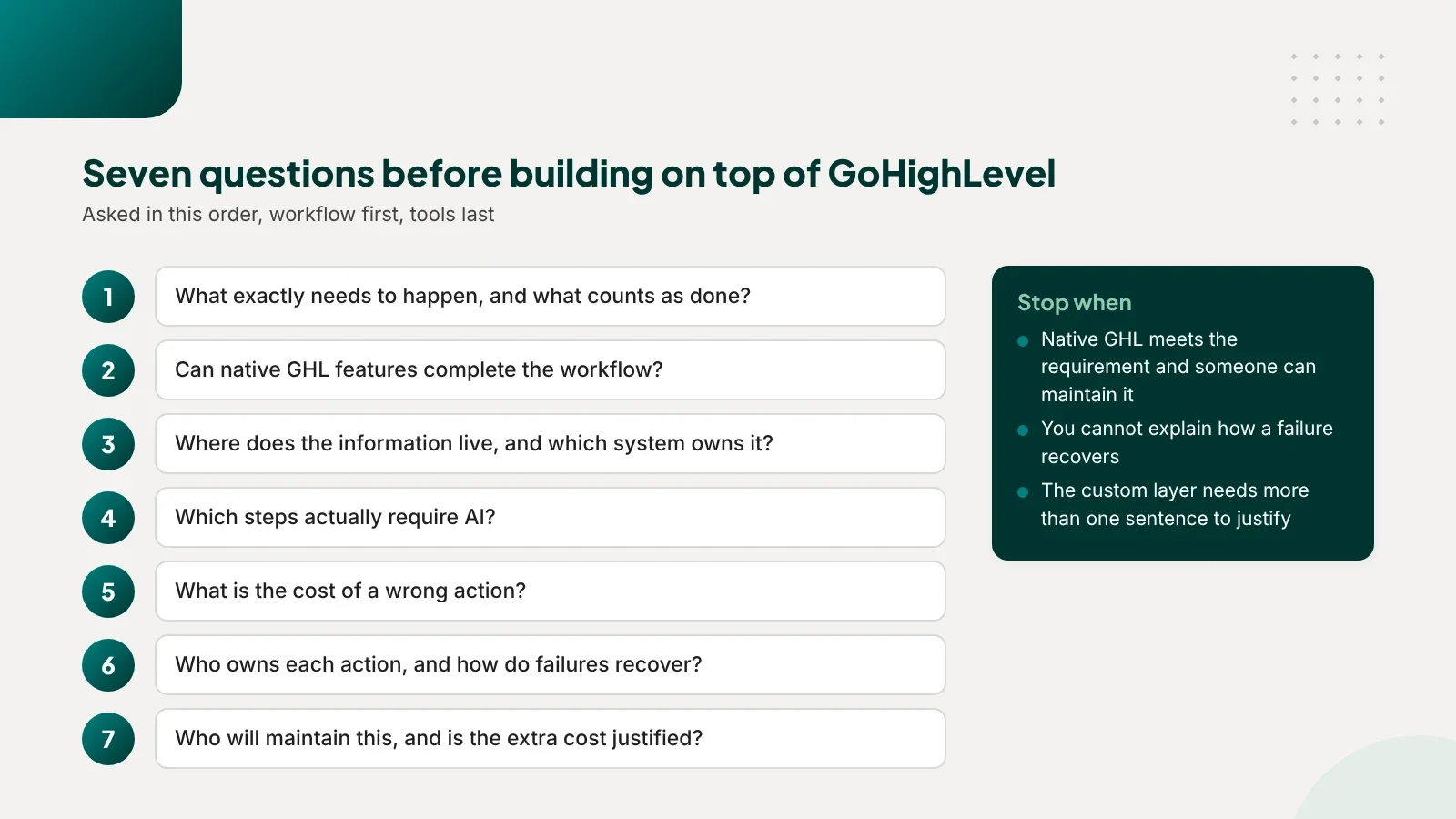
What exactly needs to happen, and what counts as done?
I start with the workflow and work toward the tools. "Automate lead handling" is too broad. I want something like: an inquiry arrives, we identify the service and location, assign the right person, and help the lead book.
Then I define completion. For booking, success means a confirmed appointment record in GHL, and a conversation where someone agrees to a time is an intermediate step.
Can native GHL features complete the workflow?
We map the requirements against the features in the account and test the awkward cases before adding another tool. If the native setup meets the requirements and someone can maintain it, that is my default.
Can the workflow handle missing information? Can a salesperson interrupt it? Can the team see why a lead stopped progressing?
Where does the information live, and which system owns it?
If the workflow needs data from outside GHL, I check how we can access it, how fresh it needs to be, and which system is authoritative. If eligibility depends on a separate operational database, copying a value into a custom field once may be insufficient, and we may need a fresh check before making a commitment to the customer. That can justify a custom integration without moving the whole workflow outside GHL.
Which steps actually require AI?
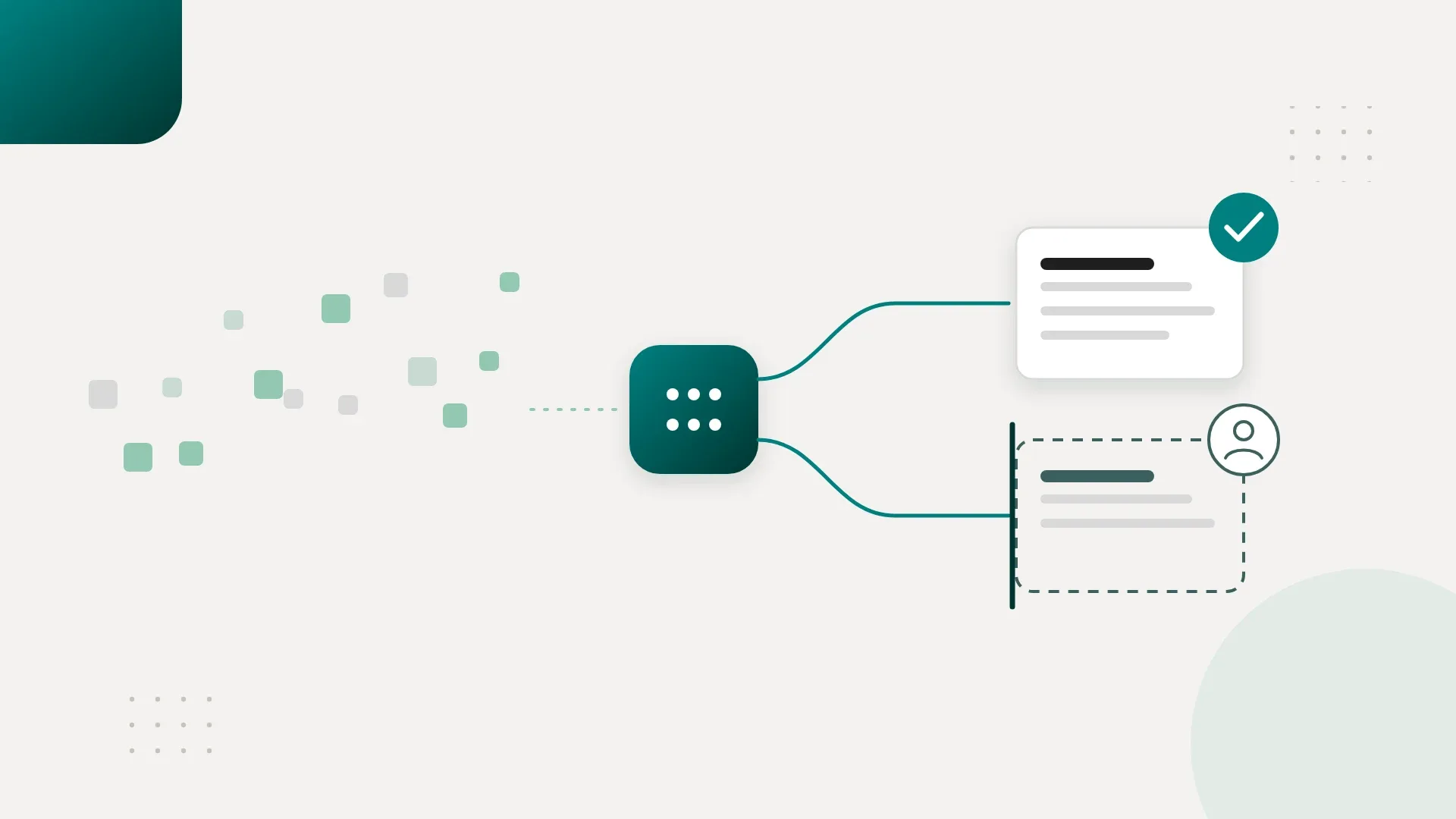
I separate rules from interpretation. Location matching, required-field checks, calculations, and routing belong in deterministic logic wherever possible. Understanding an ambiguous inquiry or summarizing a conversation may benefit from a model. GHL's own Conversation AI covers a lot of that for inbound inquiries, and a separate model call is only worth adding when the interpretation has to combine data from outside GHL or feed a system GHL does not talk to.
Then I ask what happens when the model is uncertain. It needs a defined fallback, such as asking a clarifying question or creating a review task. Guessing is never the default path.
What is the cost of a wrong action?
An incorrect internal label and an incorrect customer promise have different consequences. I ask whether the action is reversible, who it affects, and whether it needs approval. The higher the consequence, the stronger the validation and approval boundary should be.
Who owns each action, and how do failures recover?
I want one owner for sending follow-up, creating appointments, and updating each important status. If GHL owns follow-up, the external layer supplies information or requests a change. It never runs a competing sequence.
Then we walk through duplicate events, timeouts, missing data, and human takeover. Can we detect the problem, retry without repeating the action, and show someone what needs attention? If we cannot explain recovery, the design is not ready.
Who will maintain this, and is the extra cost justified?
Someone has to change the rules next month, investigate failures, and update an integration when an API changes. I include that work in the cost alongside the initial build and the subscriptions. A custom layer should earn its maintenance cost with a capability the native setup lacks or with capacity it gives back to the team.
Three places the decision lands
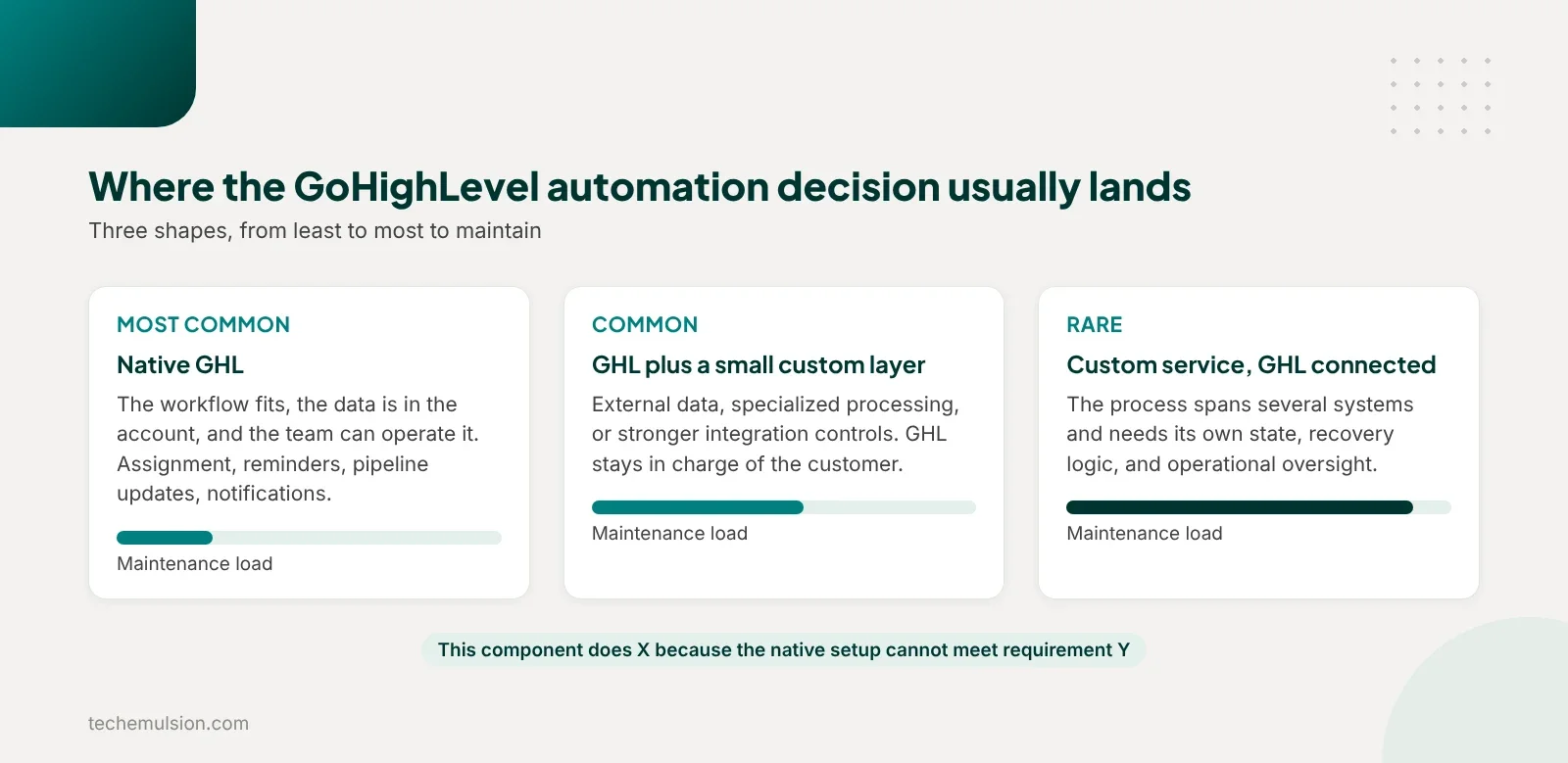
After those questions, one of these usually fits.
- Native GHL. The workflow fits, the data is available in the account, and the team can operate it.
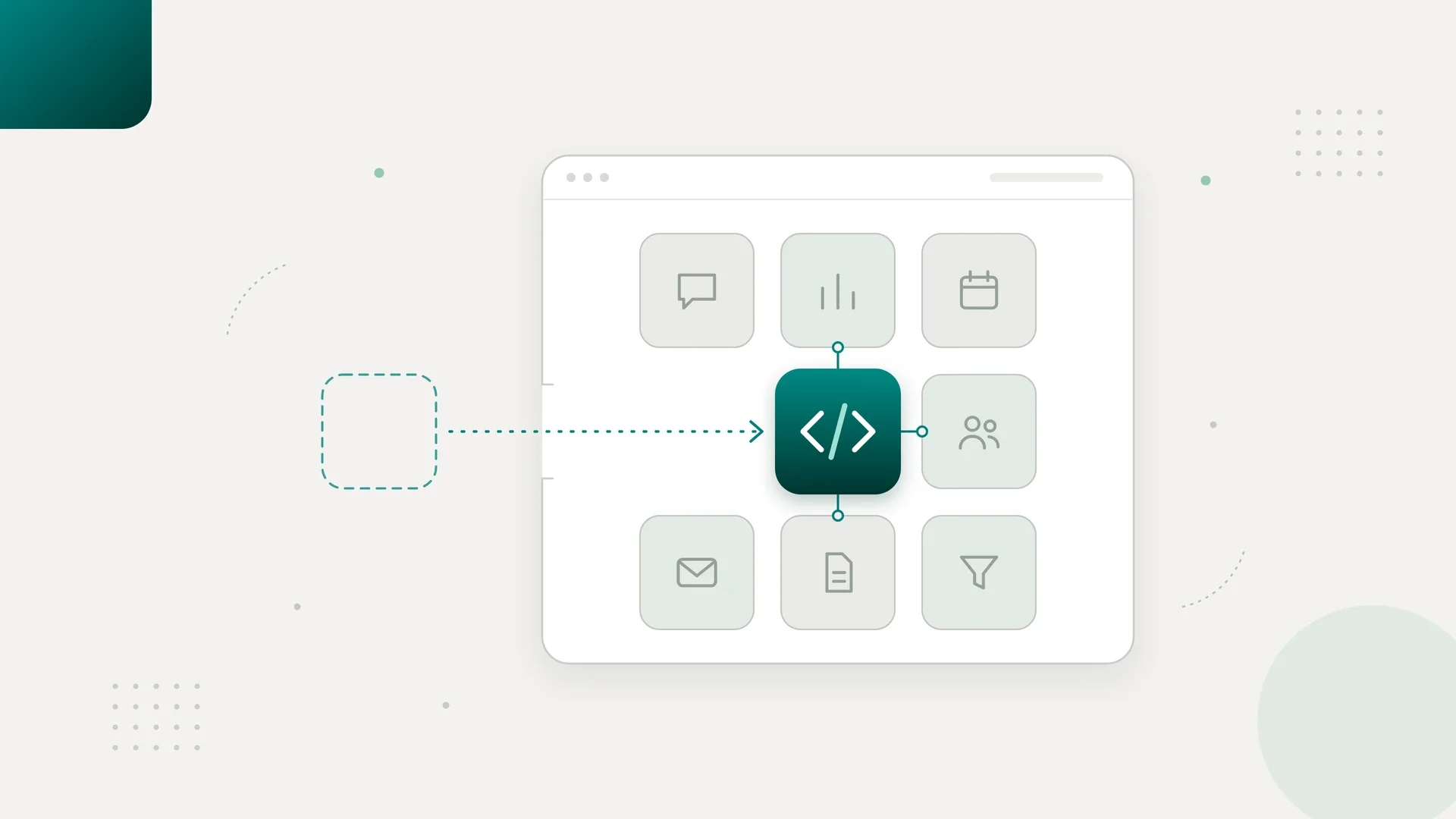
- GHL with a small custom layer. The workflow needs external data, specialized processing, or stronger integration controls, with GHL still in charge of the customer.
- A custom service with GHL as one connected system. The process spans several systems and needs its own persistent state, recovery logic, and operational oversight.
I keep the custom boundary narrow enough to explain in one sentence: this component does X because the native setup cannot meet requirement Y. If I cannot finish that sentence clearly, I revisit the scope.
What we built around GoHighLevel at LVRG Ventures
Tech Emulsion, an official Anthropic Claude Partner, has had an embedded engineer working inside LVRG Ventures since May 2026. GHL is central to how they operate: customer data, calendars, booking links, appointments, and custom chatbots all live there. I led architecture, scoping, and review for Tech Emulsion, and our engineers handled configuration, integrations, and testing.
Before the build, prospecting meant collecting, enriching, and reviewing business information, then getting it into the right campaign or CRM workflow, and the friction sat between those steps. Someone had to check whether a record existed, whether it was usable, and where it went next.
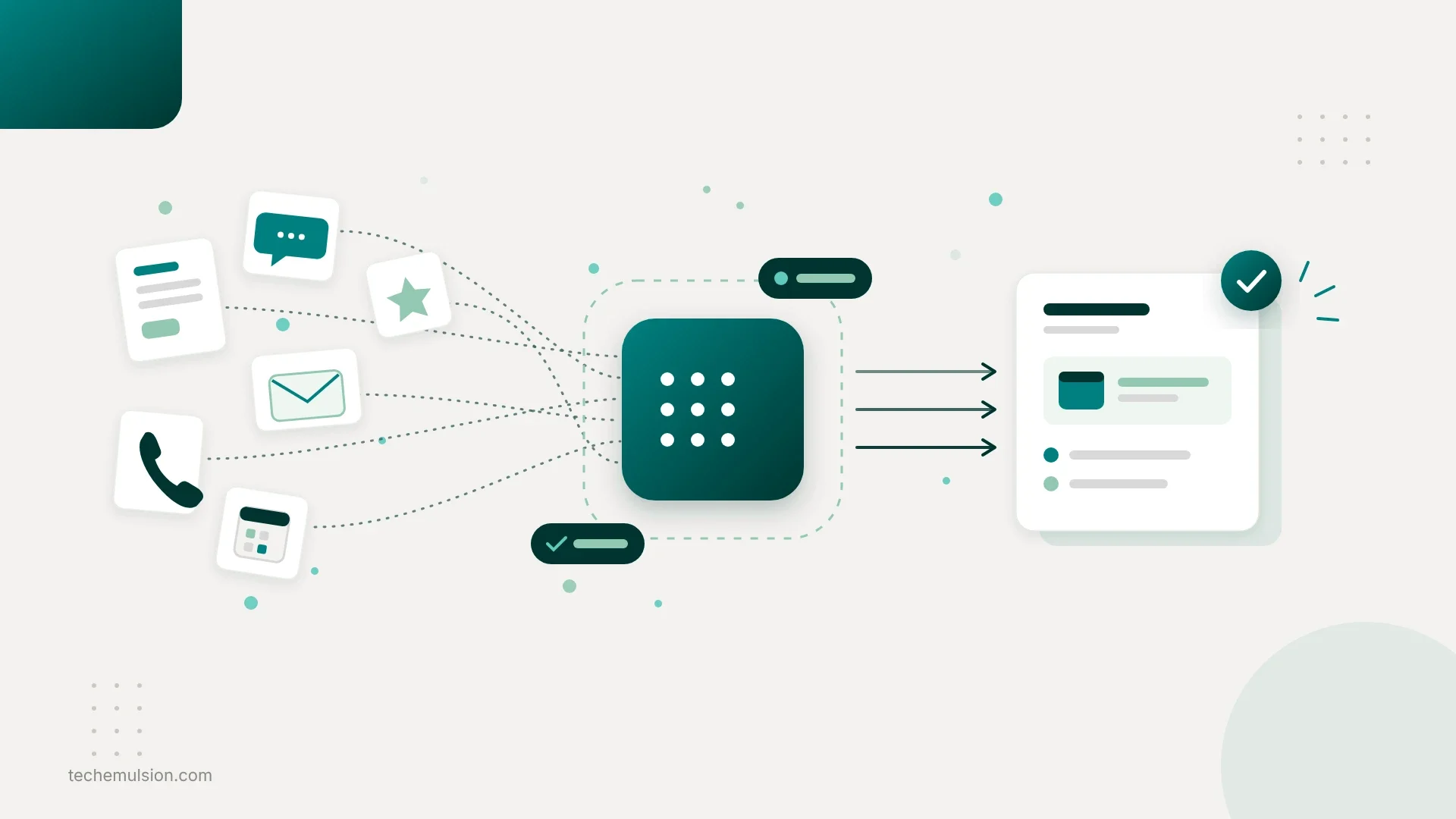
The build connected Apify for collection, Hunter.io for finding and verifying email addresses, Explorium for business and decision-maker enrichment, and a small custom layer for validation and routing. GHL kept responsibility for CRM activity and the native workflows that belonged there, while Instantly ran the outbound email campaigns. Inside GHL we used native workflows for contact assignment, pipeline updates, follow-up sequences, and internal notifications, with custom fields for the information that drove decisions: service interest, location, qualification status, and lead source.
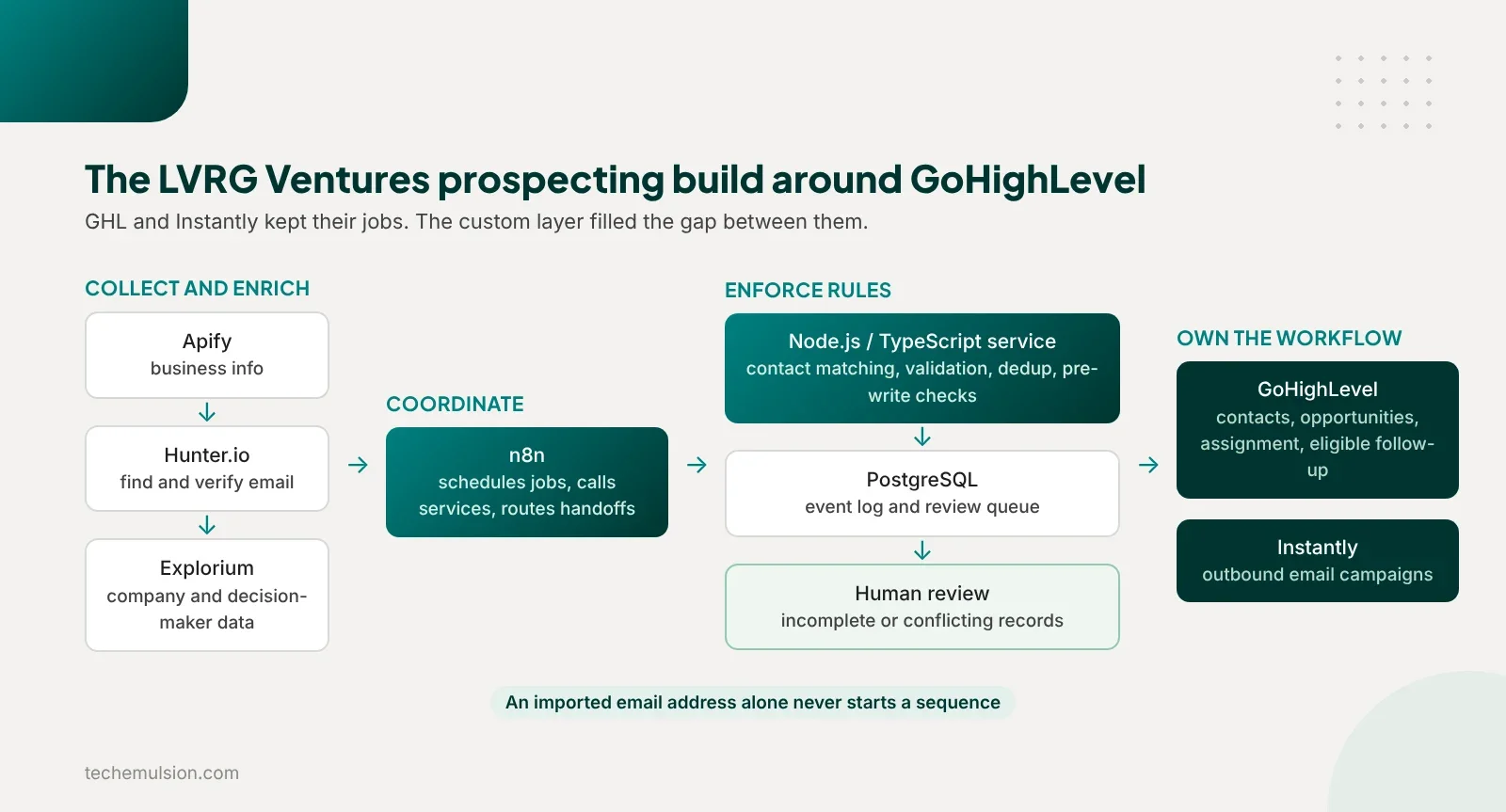
The same person could inquire about more than one service, and we did not want every new inquiry overwriting their previous sales context, so we kept stable information on the contact and tracked each sales process as its own opportunity. Collecting a prospect and enrolling someone in follow-up were separate decisions. Prospecting records stayed separate from people eligible for automated follow-up, and an imported email address alone was never enough to start a sequence.
I do not have publishable before-and-after figures for LVRG, so this section describes the build and the decisions, with no outcome claims. The intended model after launch was that valid records moved through a defined process, incomplete or conflicting records went to review, and the team's job became handling exceptions.
The most useful lesson came from our own scope correction. We started building an internal campaign app that overlapped with Instantly and GHL. A member of the LVRG team pushed back, wanting only the missing pieces, with the existing platforms left in charge. We cut the app down to the functions and integrations that filled a real gap.
Every duplicated feature adds another place to manage data, troubleshoot behavior, and train the team, and that correction is now how I scope outbound automation for any agency on GHL.
The engagement runs as forward deployed engineering: the engineer works in their Slack, with their team, inside their existing software. I cover what a forward deployed engineer does for a marketing agency separately.
What we kept native at a Clovis-based marketing agency
The second engagement was lead handling across client accounts at a Clovis-based marketing agency serving local businesses. Here we used native workflows, calendars, custom fields, Conversation AI, and Voice AI.
Conversation AI handled initial questions, collected basic qualification details, and guided suitable leads toward booking. We kept its scope narrow: it worked from approved service information, and exceptions involving pricing, complaints, or uncertain eligibility went to a person.
Voice AI covered inbound calls and basic qualification. We connected booking to the right calendar and checked the appointment record before treating a booking as successful. Someone saying "Tuesday works" during a call was never enough to move the opportunity into an appointment-booked stage.
Native workflows handled the surrounding steps: assigning the lead, updating the opportunity, sending confirmations, and notifying the team. We added an explicit human-handoff status so automated follow-up stopped when someone took ownership. That one status did more for the sales team's trust in the system than any AI feature. This is the shape of lead capture and qualification we now recommend to agencies on GHL.
The custom layer here connected lead handling to internal operations: n8n coordinated external checks, notifications, and task creation in ClickUp, where people picked up exceptions and delivery tasks, and small custom services pulled in external business data and prepared reporting data. The duplicate protection lived there too, because a webhook from an outside tool can arrive twice and catching that needs an event log, which is outside what a workflow filter is for. I covered which marketing tasks AI agents can fully automate at that agency separately.
Two mistakes that changed how I review GoHighLevel automation
Follow-up kept running after a salesperson took over
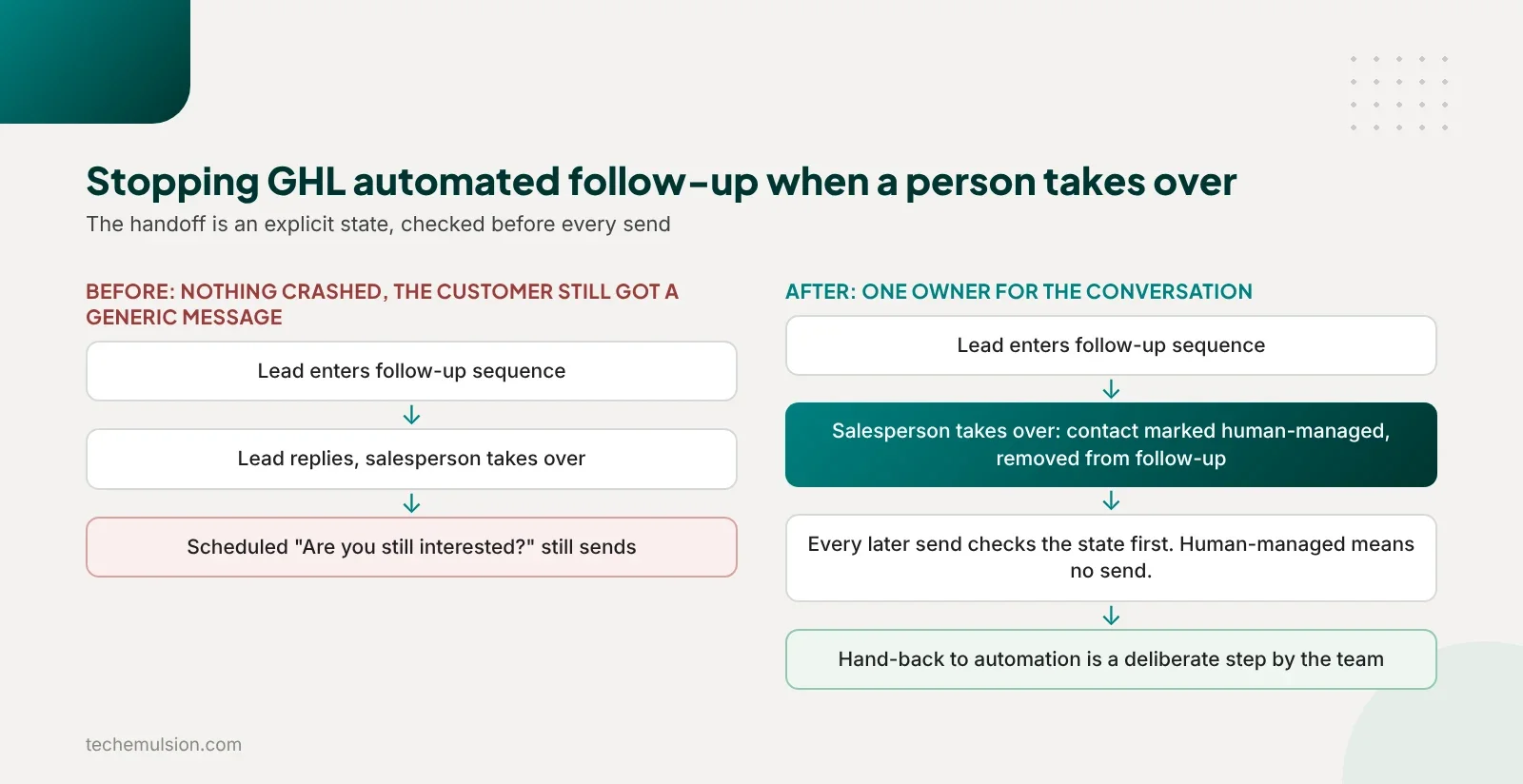
A lead entered a follow-up workflow, then replied and started a conversation with someone on the team. The salesperson assumed taking ownership meant the automation would stop. Our workflow's stopping conditions did not reflect that handoff, so a scheduled message still went out. The lead received a generic "Are you still interested?" message after they had already discussed their requirements with a person.
The automation ran exactly as configured. To the customer, it looked like the business was not listening, and the cost was an awkward recovery conversation, a sweep of other active leads for the same problem, and a sales team less comfortable leaving automation running.
We turned the handoff into an explicit state: the contact was marked human-managed, removed from the relevant follow-up, and checked before every subsequent send, so entry conditions were no longer our only protection. The tradeoff was that automation could not quietly resume because nobody had replied for a while. Handing a lead back became a deliberate step.
A retry created a duplicate opportunity
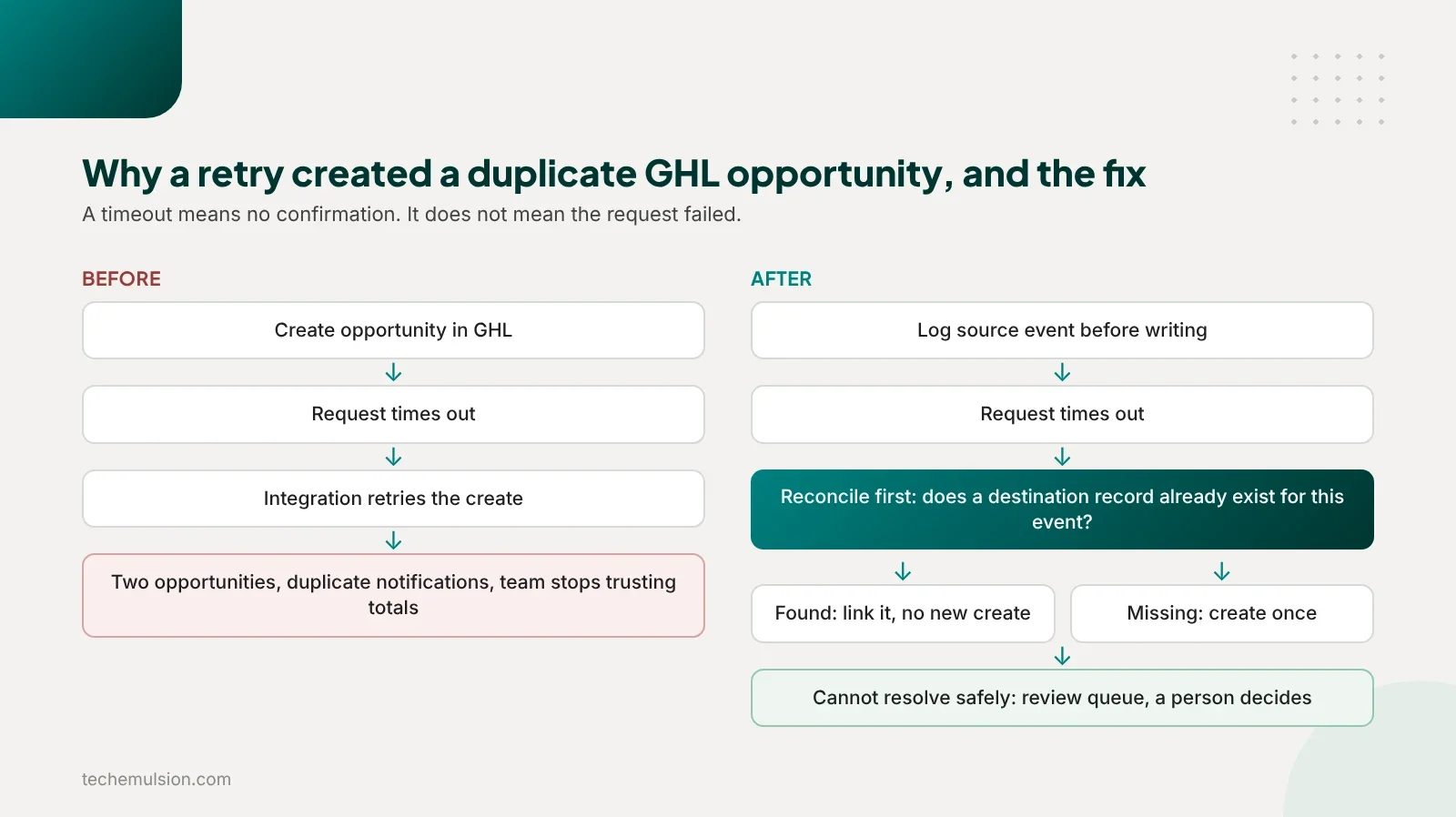
An external integration creating records in GHL hit a timeout and retried. A timeout only told us we had not received confirmation, and it did not prove GHL had skipped the request.
The retry created a duplicate opportunity. Downstream automation treated it as new work, and the team got duplicate notifications and confusion about which record to use. Once people notice duplicates, they stop trusting totals and assignments.
We changed the integration to track each source event and its destination record, reconcile an uncertain result before issuing another create request, and send anything it could not resolve safely to a review queue. Some failures now recover more slowly, which I accept. A visible exception someone can resolve is easier to manage than a duplicate that quietly triggers more actions.
I now ask two questions of every GHL automation: what happens when a person intervenes, and what happens when an external request has an uncertain result.
The stack behind the custom layer, and why each piece is there
In both engagements, n8n coordinated the steps, custom code enforced the rules, and GHL owned the customer-facing workflows assigned to it. At LVRG the custom layer was substantial and at the Clovis-based agency it was thin, but the pattern and the Node.js services were the same. Each client had a separate deployment and separate data.
At LVRG, Apify saved us from writing every scraper ourselves, Hunter.io and Explorium supplied email and company data for prospect review, Instantly stayed the sending platform because the team already knew it, and n8n scheduled jobs and called the services so the sequence stayed visible and easy to adjust. The layer checked what was missing and whether a record met basic criteria before calling any enrichment provider, because enrichment costs grow fast without producing more usable prospects.
The custom services ran on Node.js, TypeScript, and Express. They handled contact matching, input validation, field mapping, event deduplication, and checks before external writes. TypeScript gave us explicit data contracts, and we still validated incoming data at runtime. A webhook payload is never trustworthy just because the application has types.
n8n could request "process this lead event". The service decided whether the event had already been processed, whether its data was valid, and which action was allowed. Rules that affected data integrity lived in code because they needed focused tests, while scheduling, straightforward API calls, and notification routing stayed in n8n because the team could inspect and change them there.
PostgreSQL held the event log and the durable review queue. For each event we recorded the client account, source identifier, event type, processing status, attempt count, destination record ID, and any failure reason. The services and n8n ran in Docker on AWS EC2, with PostgreSQL on RDS.
ClickUp exposed the human work as a task linked to the review item, and it was never the authoritative record of success. That mattered on the day task creation itself failed: the exception still existed and could be surfaced again.
For interpretation we used GPT-4.1 mini. At LVRG it categorized business descriptions against defined service categories, and at the Clovis-based agency it interpreted free-text inquiries into structured summaries for the team. That agency's larger multi-system agent workflows ran separately on LangGraph with Claude Sonnet, so this was one routed step.
We asked the model for a constrained result: service category, extracted details, missing information, and whether review was required. Code validated the structure and checked identifiers against the client's configuration. The model never calculated lead scores, chose arbitrary pipeline stages, or triggered messages directly. It supplied an interpretation, and rules decided what happened next.
That boundary is the one I would defend hardest: a model can help you understand a record, and it should never turn an uncertain interpretation into an unchecked customer-facing action. The operational side of keeping that true is covered in my earlier piece on AI ops and ownership.
How we structure and price GoHighLevel AI automation
Three objections come up on nearly every sales call about this.
"GHL already has AI. Why would I pay you to build more?" You might not need more. If native configuration solves the problem, that is what I will recommend, and the work might be setting up the workflow properly, cleaning the data, and testing the handoff to your team.
Custom development becomes relevant when there is a specific gap: qualification that depends on another system, a manual check against an operational database on every inquiry, or several tools that need to coordinate without duplicate records or conflicting messages.
"Can my team maintain this after you leave?" I separate everyday changes from engineering changes before we agree on the build. Your team changes approved messaging, routing settings, and qualification criteria without editing code, while authentication, data matching, and retry behavior need someone technical. Handover includes the code, the infrastructure, a walkthrough, and instructions for finding failures, pausing automation, and resolving common exceptions, and we test that someone on your team can actually do those things.
"What will this really cost once it is running?" I break it into implementation, recurring platform and usage charges, and maintenance, plus the human time still needed to review exceptions. As an illustrative example, a task that takes 10 minutes and happens 300 times a month is 50 hours of work, and automation will not recover all 50 because reviews, corrections, and oversight still take time.
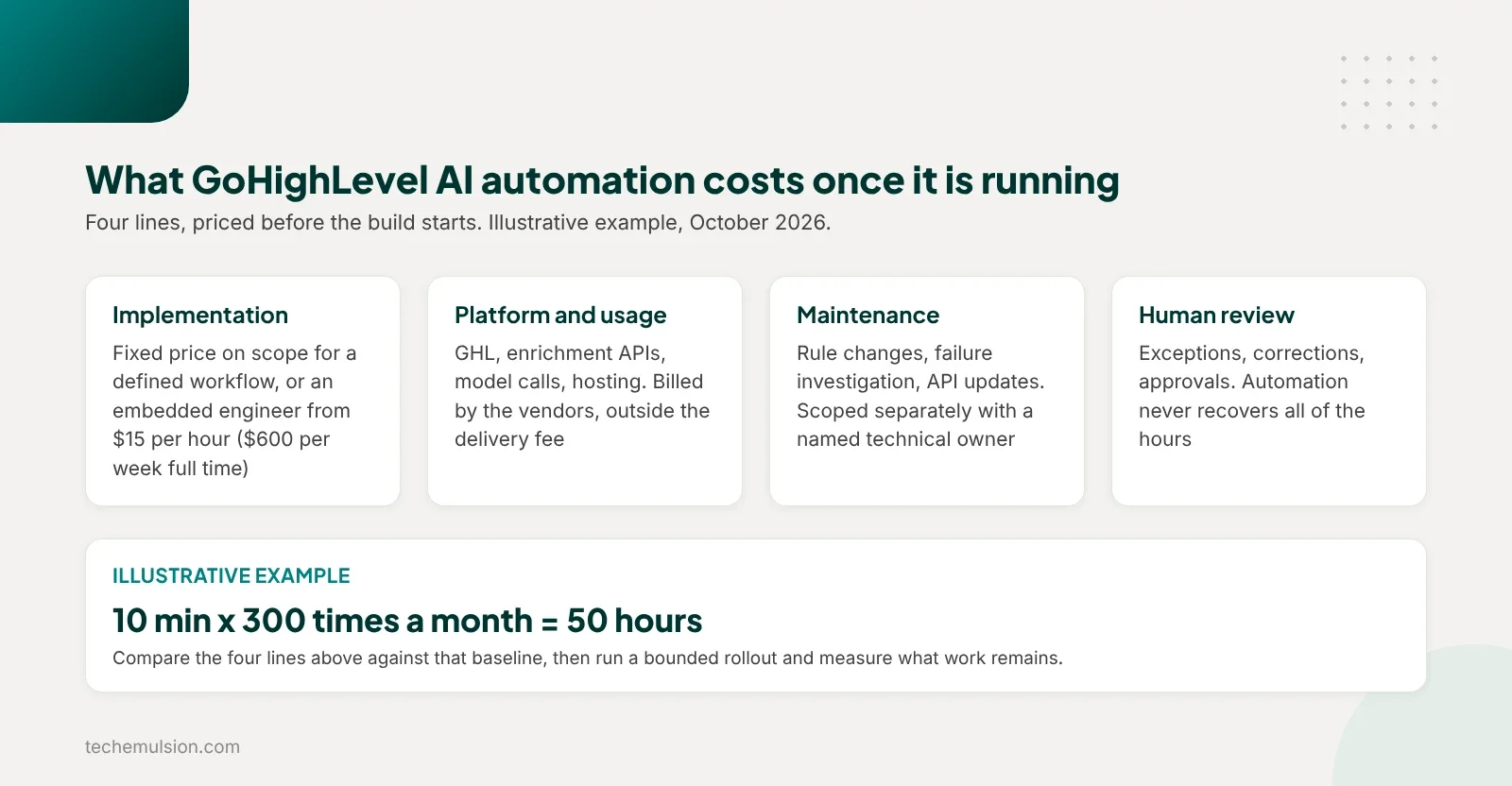
We start with a bounded rollout and measure the remaining work before expanding. If the economics only work under perfect automation or an unproven jump in bookings, the build is not justified yet.
On structure, Tech Emulsion works two ways. For a clearly defined workflow, we quote a fixed-price build covering configuration, integration, testing, documentation, and handover, with acceptance criteria agreed up front. I do not publish a universal price for GoHighLevel AI automation because a native workflow setup and a multi-system integration are different jobs.
For an ongoing backlog across GHL, integrations, internal tools, and AI workflows, we embed an engineer starting at $15 per hour. The full-time terms:
- 40 hours a week, which is $600 per week and about $2,600 per month
- Architect or PM oversight as needed
- A dedicated Slack channel and a Loom demo every Friday
- Client ownership of the code
- Two-month minimum, then 30 days' notice to cancel
- Part-time available, a first-week refund guarantee, and a replacement engineer within three days if the fit is wrong
Maintenance is scoped separately, and third-party subscriptions sit outside our delivery fee.
FAQ: common questions about GoHighLevel AI automation
Can GoHighLevel handle AI automation on its own?
For lead assignment, follow-up sequences, calendars, pipeline updates, and basic qualification conversations, yes, and that should be your starting point. In the two agency builds above, native workflows, Conversation AI, and Voice AI handled the customer-facing steps, and custom work only covered what the account could not do.
When do you need custom code on top of GHL?
When a workflow needs data from another system, duplicate protection across tools, a fresh check before a commitment, or interpretation of messy free-text inquiries. The custom part can be small. At LVRG Ventures it was a validation and routing layer between Apify, Hunter.io, Explorium, GHL, and Instantly.
How do you stop GHL automated follow-up when a salesperson takes over?
Make the handoff an explicit state. Mark the contact human-managed, remove it from the relevant follow-up, and check that state before every send, so entry conditions are never the only protection. Then agree on a deliberate step for handing the lead back to automation.
Should the AI agent own the whole GHL workflow?
No. Give each action one owner. If GHL owns follow-up, an external agent supplies information or requests a change, and it sends no messages of its own. Two systems that each look correct can still message the same customer twice.
How much does GoHighLevel AI automation cost?
Native configuration is the cheapest option and often enough. Tech Emulsion quotes defined builds at a fixed price based on scope and embeds engineers starting at $15 per hour for ongoing backlogs. Platform subscriptions, usage charges, and maintenance are costed separately, and exception review still takes human time.
Bring us one workflow, and we will tell you where it belongs
Not sure whether your next automation belongs inside GHL or needs something built around it? Bring us one workflow your team spends too much time managing. In a free Agency Automation Audit, part of our AI automation for marketing agencies work, we look at what triggers it, where the information lives, what the team does manually, and where it gets stuck.
You leave with a clear recommendation: what to configure natively in GHL, what needs a custom integration or AI component, what should stay manual or require approval, and whether the likely time savings justify the build and its maintenance. If native configuration is enough, we say so.