
Notary Public Association runs online notary education and certification in the US, and when they came to us, they wanted AI agents writing their email first, then their social media and Google Ads. I'm Hassan, CEO of Tech Emulsion, and I oversaw the AI automation architecture we designed to make that happen. We had the first version running in four weeks, and in this post I'll share how we built it, what the pilot showed, and the rules I use for any growing company.
How do you design an AI automation architecture for a growing company?
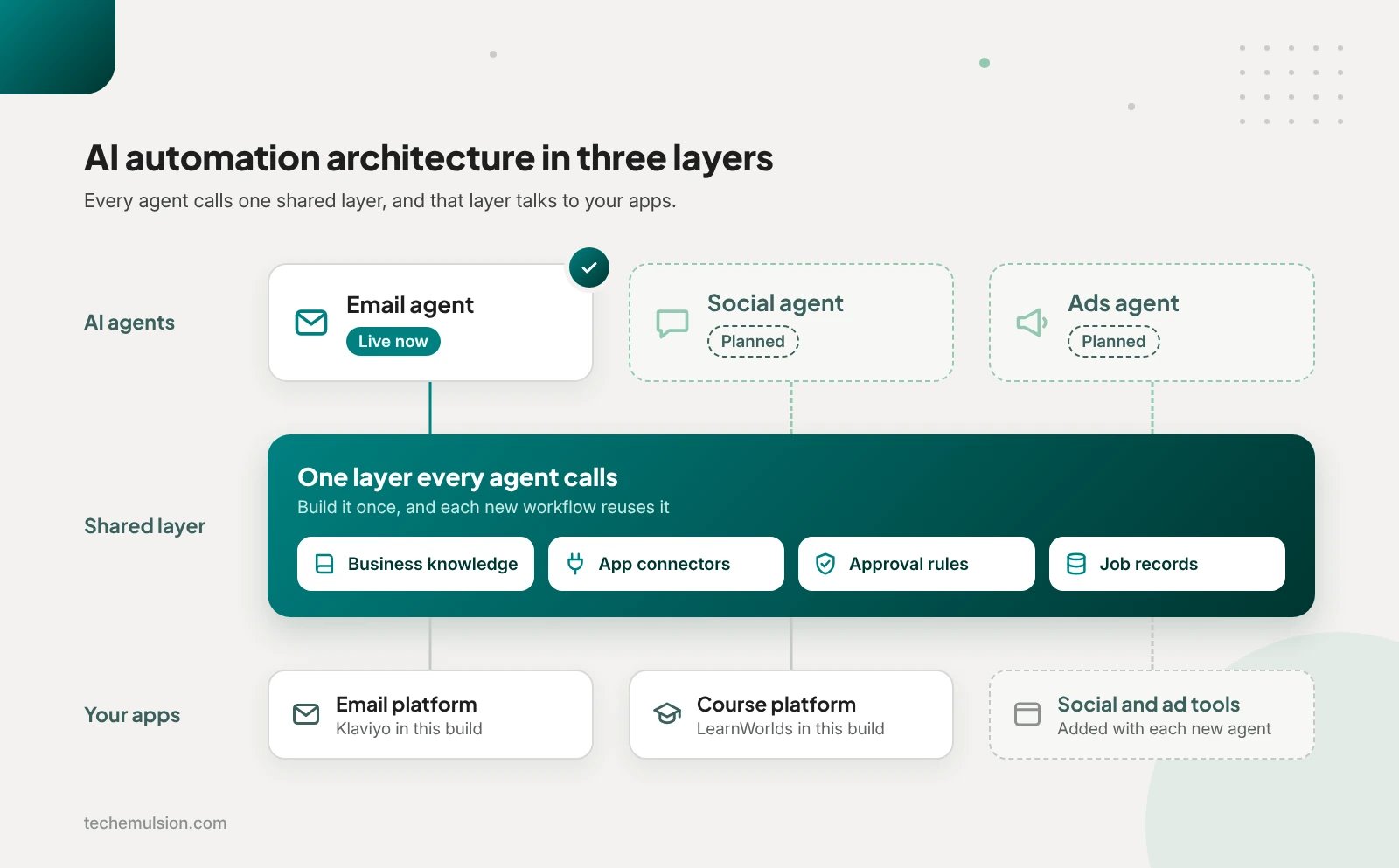
Start with one workflow that removes a real bottleneck and gives a measurable result. As you build it, keep business knowledge, connectors, approval rules, and job records in a shared layer the agent calls, so the next workflow can reuse them. That layer should use your tools' existing connections first, with custom code only for rules they can't enforce.
That shared layer is what I mean by an automation architecture, meaning the parts every automated workflow depends on: where the facts live, how each app connects, who approves what, and how failures get recorded and recovered. So while one automation handles one task, the architecture is what lets your fifth automation reuse what the first one built. That reuse matters for any growing business that wants AI doing real work, whether it's an HR consultancy, a fitness training business, a real estate investment company, or an online education company.
How do you choose the first workflow to automate?
When an owner brings me a long wish list, I pick the smallest complete workflow that removes a meaningful bottleneck and gives us a result we can measure. That usually means narrowing the list down, because "automate marketing" is too broad to build. A process like "take an approved segment and a campaign brief and produce an email sequence ready for review" works, since it has a clear beginning, a clear end, and an owner.
Once we have a candidate, I ask the team to walk me through a recent example, including one that went wrong, so I can see the real records, handoffs, decisions, and corrections. That walkthrough often shows the slow part is chasing missing information or waiting on approval.
The five checks I run on every candidate workflow
- Business value: frequent work, real effort, or a delay that affects customers or revenue
- Process clarity: a clear trigger, an expected result, and a person responsible
- Data readiness: accessible, sufficiently reliable information and the permissions to use it
- Cost of failure: mistakes we can detect and contain before they cause damage
- Operating effort: review, exceptions, and maintenance that still leave a worthwhile saving
Of those five, data readiness works as a gate. If the workflow depends on information buried in someone's inbox, undocumented judgment, or an integration nobody has checked, I deal with that first, before committing to a build.
Once the data checks out, I look at whether ordinary rules can solve the problem. Moving records, checking required fields, calculating totals, and triggering reminders are jobs for plain workflow automation, so I bring in AI only where interpretation, writing, or ambiguous information makes it useful.
How do you know a workflow will pay for itself?
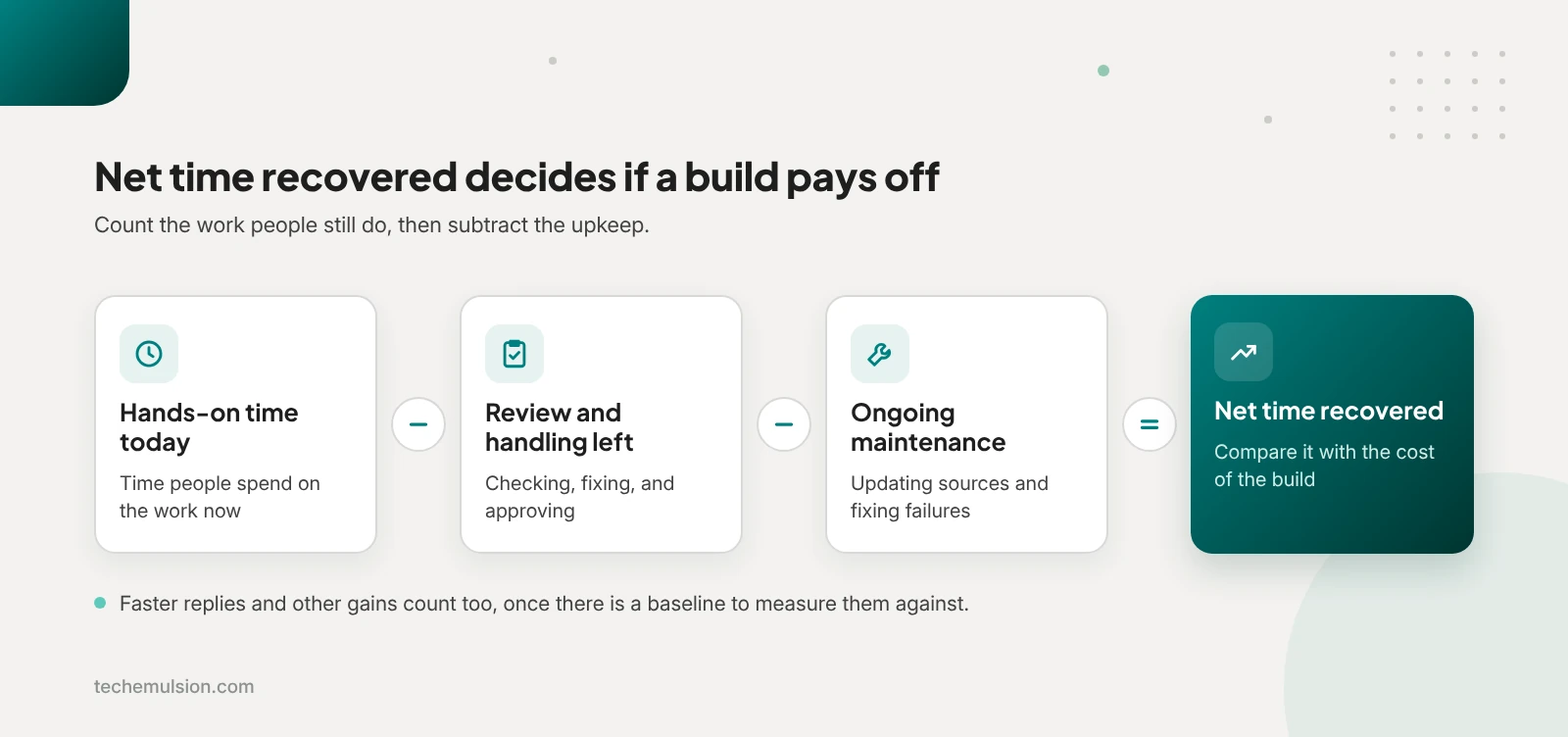
To check the economics, I estimate net time recovered, which is the current hands-on time, minus the review and handling time that remains, minus ongoing maintenance, and then I compare that saving with the build effort. On top of the hours, I also weigh outcomes like responding to inquiries sooner, though I only put a dollar value on them once there's an observable baseline.
With those numbers in hand, I agree with the owner before building on what would justify continuing: lower total handling time, an acceptable revision rate, no unsupported claims reaching publication, and someone who can manage exceptions. That way, if the pilot misses those conditions, we narrow or revise it before adding another agent.
What does an AI automation build look like in practice?
When Notary Public Association approached Tech Emulsion, they were already running email campaigns in Klaviyo and delivering courses on LearnWorlds, their learning management system. Even so, their email copy was written by hand, and they had no written SOPs (standard operating procedures) for us to work from. On top of that, they wanted the agent work to run on Grok Bot, the always-on agent product from xAI, and they planned to start with a small paid engagement, prove we could work together, and then automate more of the business.
Tech Emulsion is an official Anthropic Claude Partner, and we still built this one on Grok Bot, because that's the tool the client wanted. If you're weighing that same choice, I've compared Grok Bot with Claude and ChatGPT Dots for marketing agencies.
With the tools settled, the hard part was state-specific content. Their customers were preparing to become notaries in different states, where the requirements vary, so the client wanted personalized sequences with accurate state context and supporting citations. That meant a convincing email with the wrong state requirement would still be a failed output, which made accuracy the central design requirement.
Alongside accuracy, they set one firm boundary: a person had to review both the content and the design before anything went out, even though their longer-term goal was unattended execution wherever it made sense. With both of those in mind, the starting challenge for me was turning their business knowledge into an explicit process: what information a draft needs, which sources it can rely on, what happens when information is missing, and who approves the result.
Since email was already their first priority, I narrowed it into something we could test: one three-email sequence, for one clearly defined audience, ready for human approval in Klaviyo. To get there, we walked through their campaign process together and wrote their first SOP from that conversation, which set the inputs, what counted as a finished sequence, who would check the state requirements, and who would approve the design.
How the workflow runs, from segment to approved email
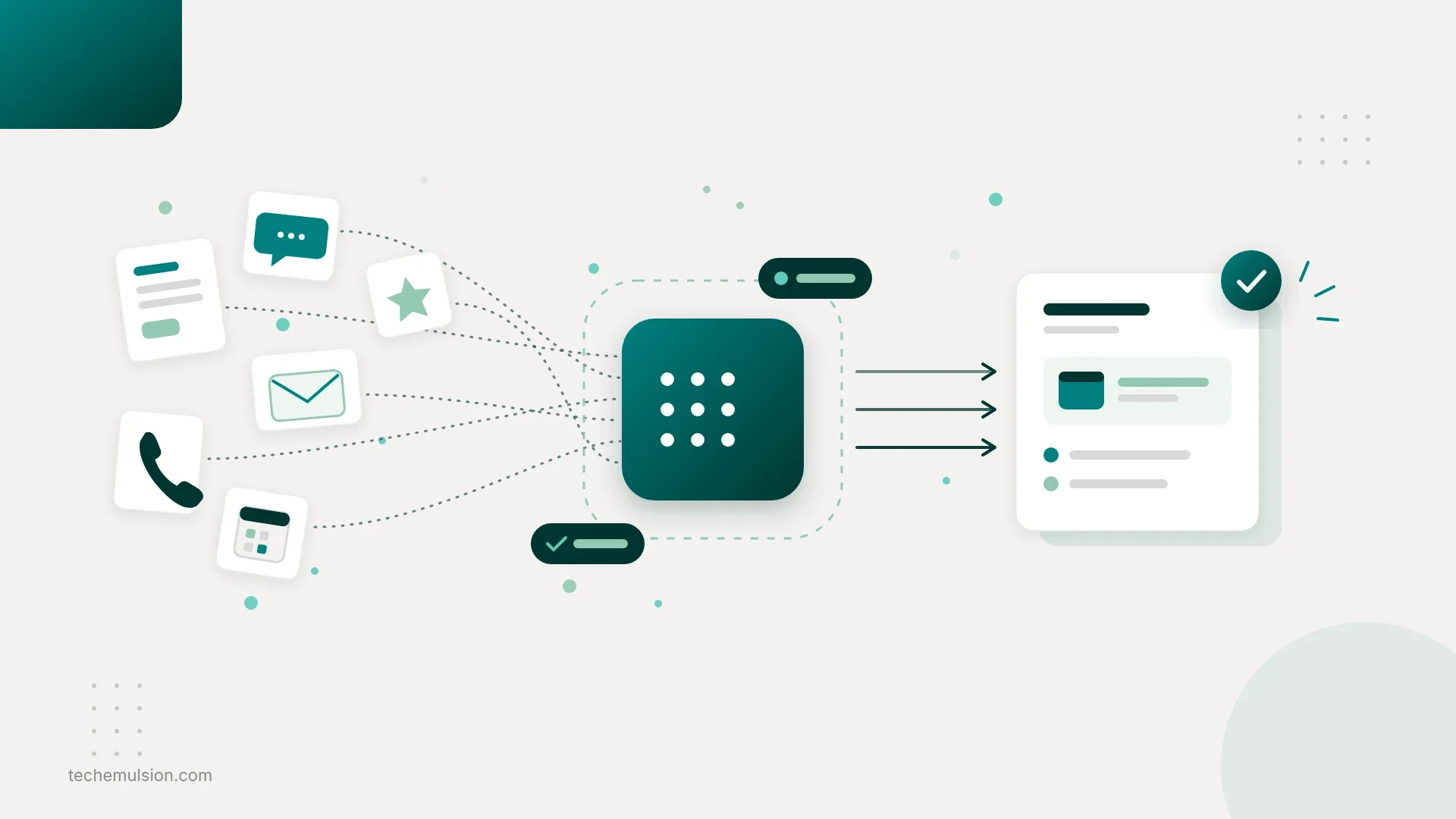
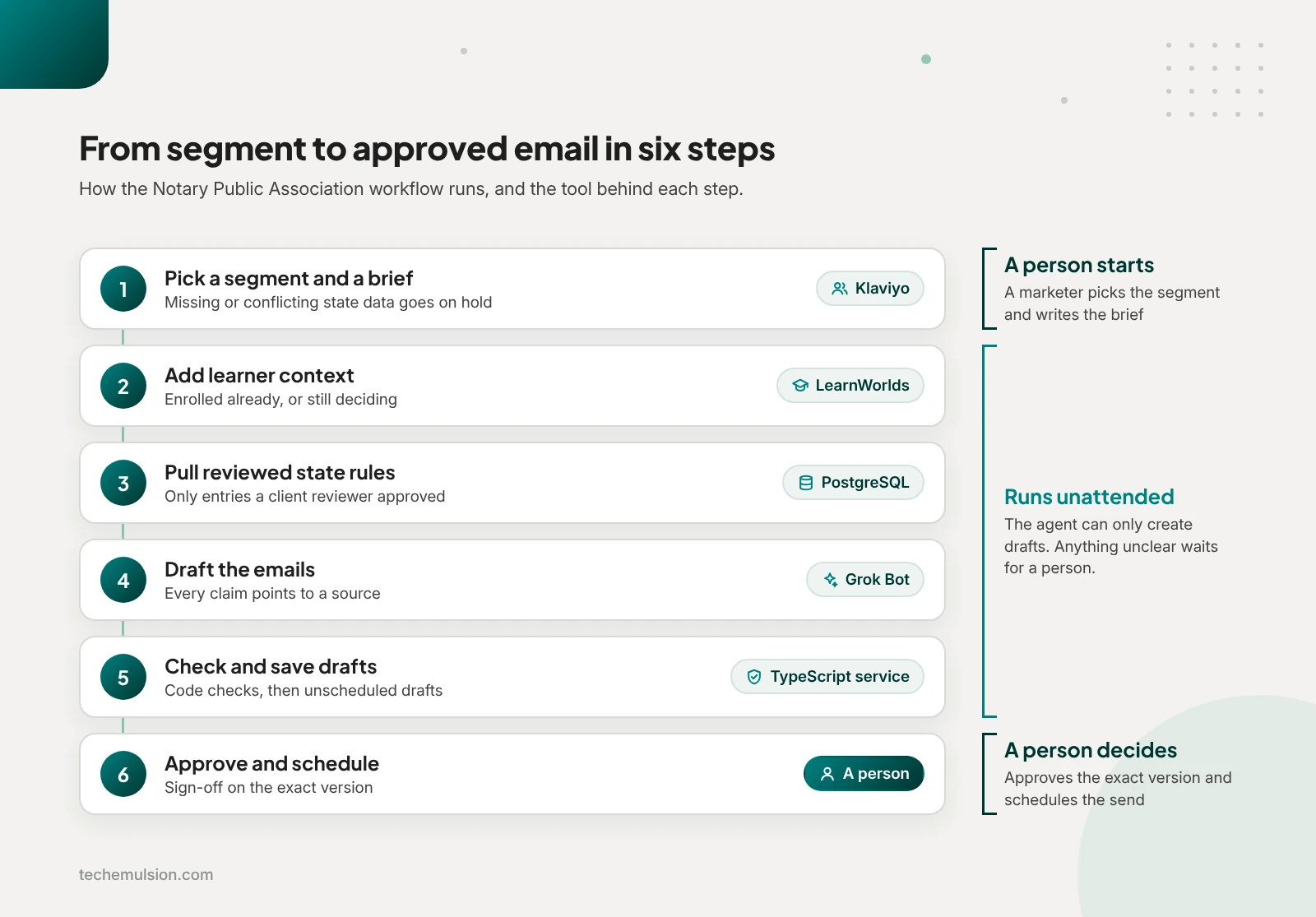
Grok Bot can connect to custom MCP servers, and MCP (Model Context Protocol) is an open standard that lets an AI assistant call outside tools. That let us expose a short list of specific operations while the credentials and business rules stayed in our own service. With that in place, here's how the work split across the tools:
- Klaviyo: segments, email templates, campaign drafts, and delivery
- LearnWorlds: course and learner information
- Grok Bot: drafting the copy with the tools we connected
- A custom TypeScript service: API connections, data validation, controlled retrieval, and draft creation
- PostgreSQL, that service's database: reviewed state requirements, source references, workflow status, and approval history
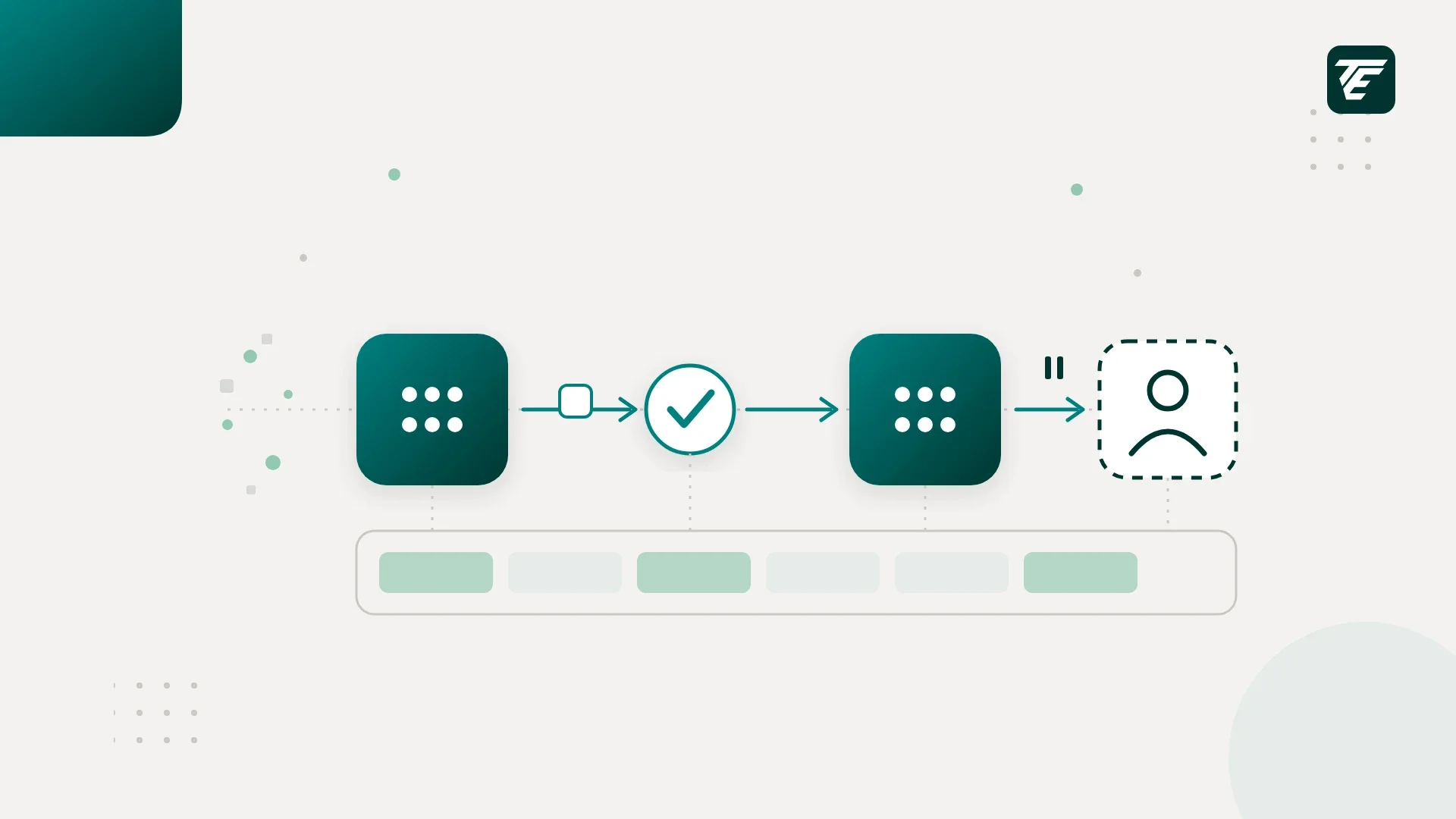
- Start with a segment and a brief. The marketer picked a Klaviyo segment and supplied the objective, offer, and intended sequence, and from there our service pulled the profiles and checked each person's target state and whether the campaign covered a first application or a renewal. For the state, we used an explicit field, since a billing address wasn't enough. That check also meant any record with missing or conflicting information went on hold, and mixed-state audiences were split into groups before drafting.
- Add learner context from LearnWorlds. Next, LearnWorlds data showed whether each person was still considering a course or already enrolled, and any uncertain match between a LearnWorlds user and a Klaviyo profile went to review. We also kept course completion separate from commissioning status, because a learning record can't prove the state approved someone.
- Retrieve reviewed state requirements. For this step, we built a reference store from official sources, such as the California Secretary of State's notary handbook and the New York Department of State's notary guidance, and each entry recorded the state, application type, requirement, source URL, supporting passage, effective dates, and last review date. Before drafting could use an entry, a designated client reviewer had to approve it, and conflicting sources or an unclear effective date blocked the affected claim. Retrieval then filtered by state and application type first, so a requirement from another jurisdiction was less likely to slip in.
- Draft the sequence in Grok Bot. With the right references selected, the agent received them along with the brief, brand guidance, and course information, and it returned subject lines, preview text, email copy, calls to action, and a claim-to-source record. In that record, each statement about a requirement pointed to a source ID that our service resolved into the stored citation, so every citation URL came from the reviewed record. Using the same setup, we drafted reusable variants for each state and customer stage, and any variant with different factual claims went through its own review.
- Validate and create the Klaviyo drafts. Every draft then went to ordinary code that checked required fields, source IDs, state matches, approved source versions, and allowed course links, and a separate model pass could flag unsupported wording, though it couldn't certify legal accuracy. Copy that passed those checks went into branded templates as unscheduled Klaviyo campaign drafts.
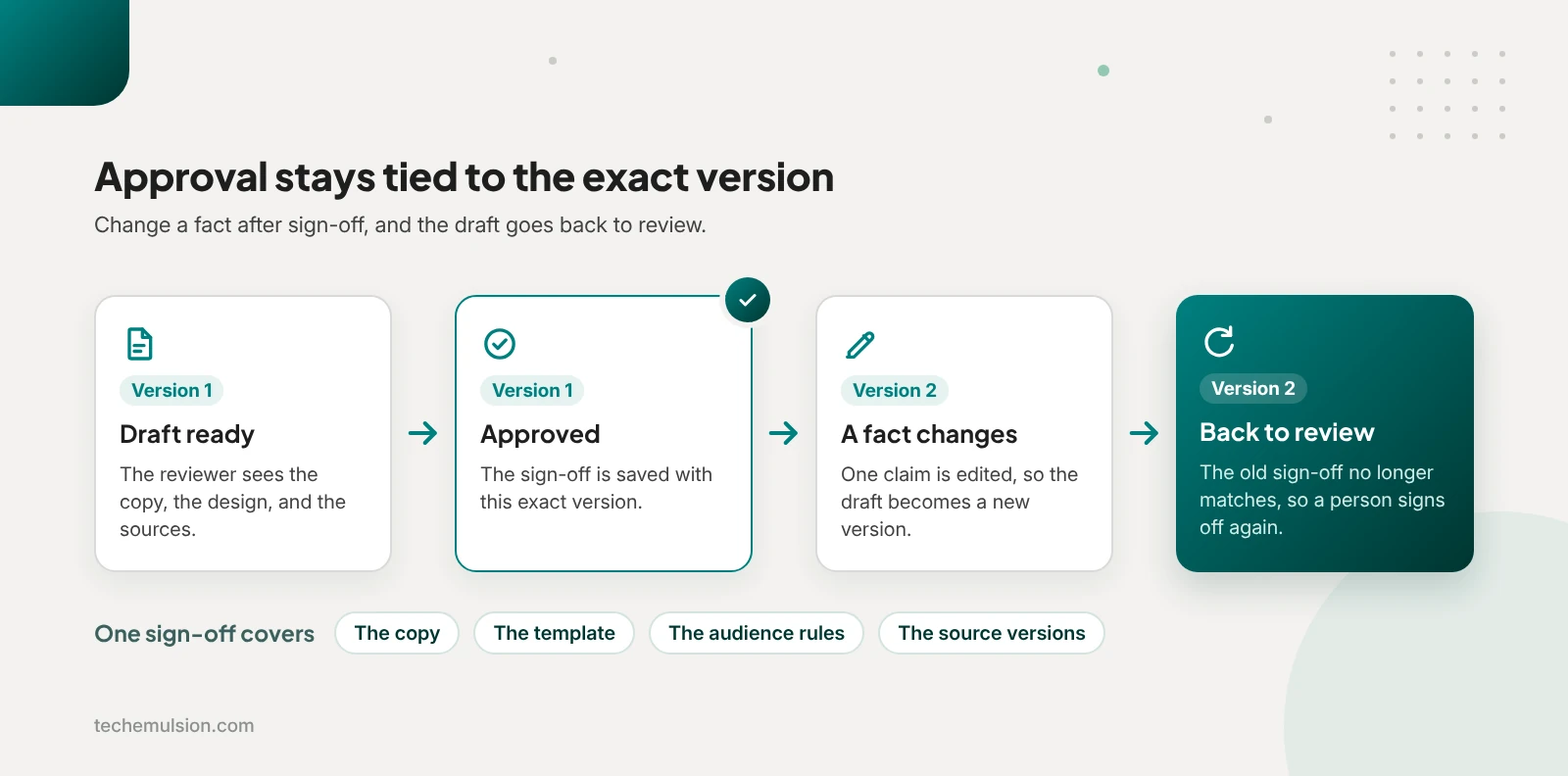
- Approve the exact content and design. A small review screen then showed the sequence, audience, source passages, and Klaviyo previews, and approval was recorded against the exact copy, template, audience rules, and source versions, so any change reopened review. Once a sequence was approved, personalization used only reviewed variants and approved merge fields, so no new AI-written claims appeared before delivery.
Put together, those six steps let the system prepare drafts unattended once it was running, and drafts were all the agent could create. A person still approved the exact content and design and scheduled each campaign in Klaviyo, which kept the boundary the client set at the start.
How the four-week build ran
We got that first version running in four weeks, with one Tech Emulsion engineer doing the build, me overseeing the architecture, and the client reviewing the state references and email content. We spent week one on process documentation and the Klaviyo and LearnWorlds connections, week two on the state requirements and citations, week three on the Grok Bot connections, and week four on a controlled pilot with real campaign briefs. For that first release, we covered California, Texas, Florida, and New York, for first-time applicant sequences only, since renewal and remote online notarization sequences needed their own references and testing.
What the first end-to-end test caught
The pilot started early in week four with an end-to-end run on a segment of first-time California applicants and a brief promoting the relevant course. Since that sequence targeted new applicants, existing students were excluded, and records with missing state information or an uncertain learner match were held for review. Even with those checks working, that first sequence came back for a factual correction.
In one email, the agent implied that finishing the course was enough to get commissioned, while the California Secretary of State lists the approved course as one requirement alongside a written exam and a background check. The citation behind that sentence existed and pointed to the correct state, so it took the reviewer reading the claim beside the source passage to catch the overstatement.
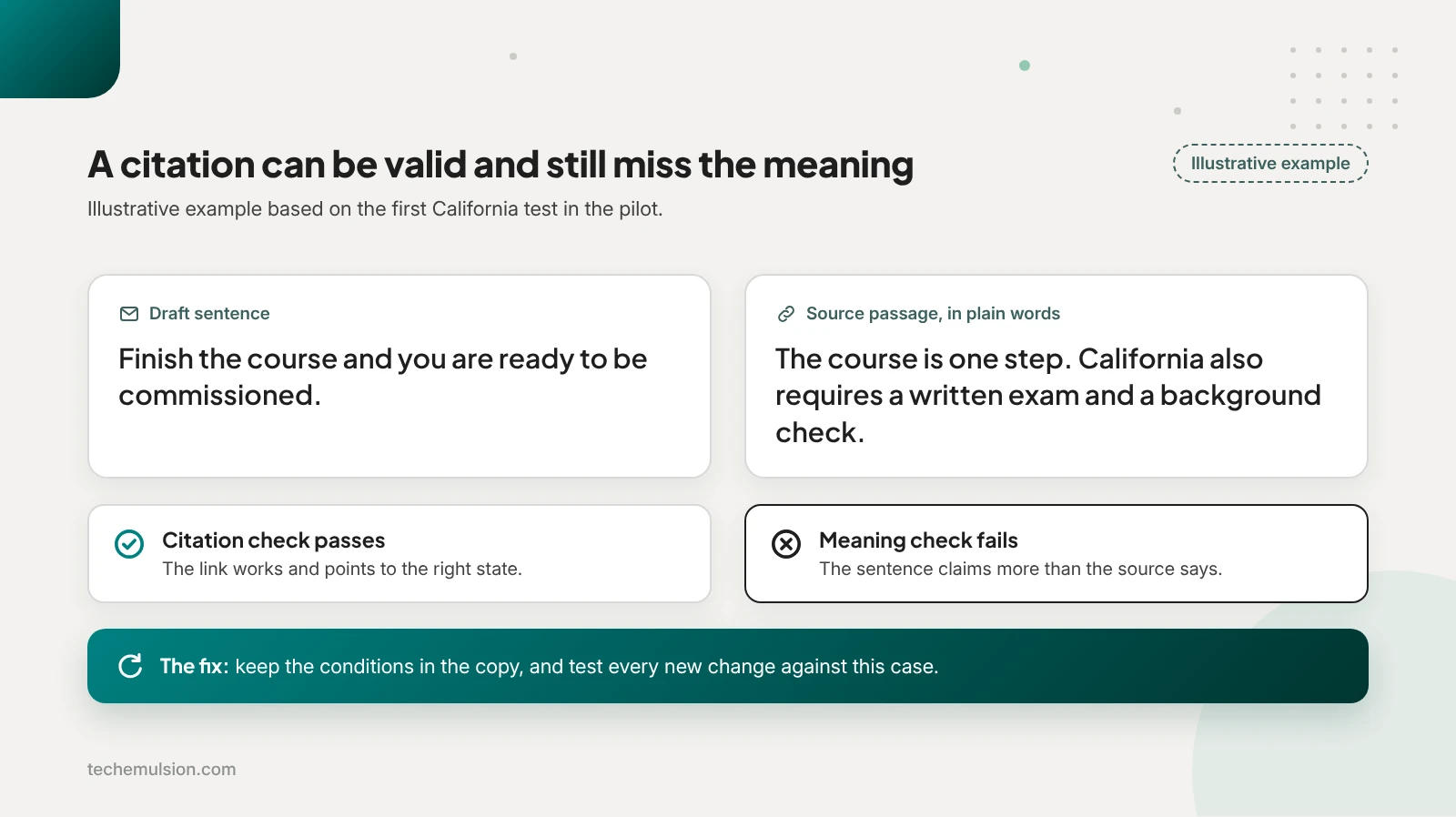
That showed us a citation can be valid and still fail to support the sentence, so we corrected the wording and changed the workflow. After that, the reference records and drafting instructions carried the conditions and qualifications that had to survive into the copy, and the rejected example became a regression check, which is a saved test case that every later change to the drafting instructions is tested against. The fix came with a tradeoff of slightly longer copy and more review information, and for this business, preserving the meaning mattered more.
With the corrected draft in hand, we also tested the approval boundary on purpose. Right after approving it, we changed one factual sentence, and the workflow sent it back to review because the approved and current versions no longer matched.
That sequence counted toward the 20-sequence pilot, and we then expanded to the other three states with the same source checks and approval process. I was comfortable expanding because I'd seen the whole loop work: incomplete records were held, the reviewer caught an unsupported claim, the correction was captured, and approval stayed attached to the exact version reviewed.
What the pilot measured
Every sequence in the pilot went through that same review, across all four states. Here's what Tech Emulsion measured for Notary Public Association:
- 20 sequences reviewed, each with three emails
- Human time per sequence down from about 120 minutes, when the team wrote sequences by hand, to about 40, so 80 minutes saved, roughly a 67% reduction
- 14 of 20 sequences (70%) approved on the first submission
- 6 of 20 (30%) returned for revision: three for tone or messaging, two for layout or calls to action, and one for the California claim that went beyond its source
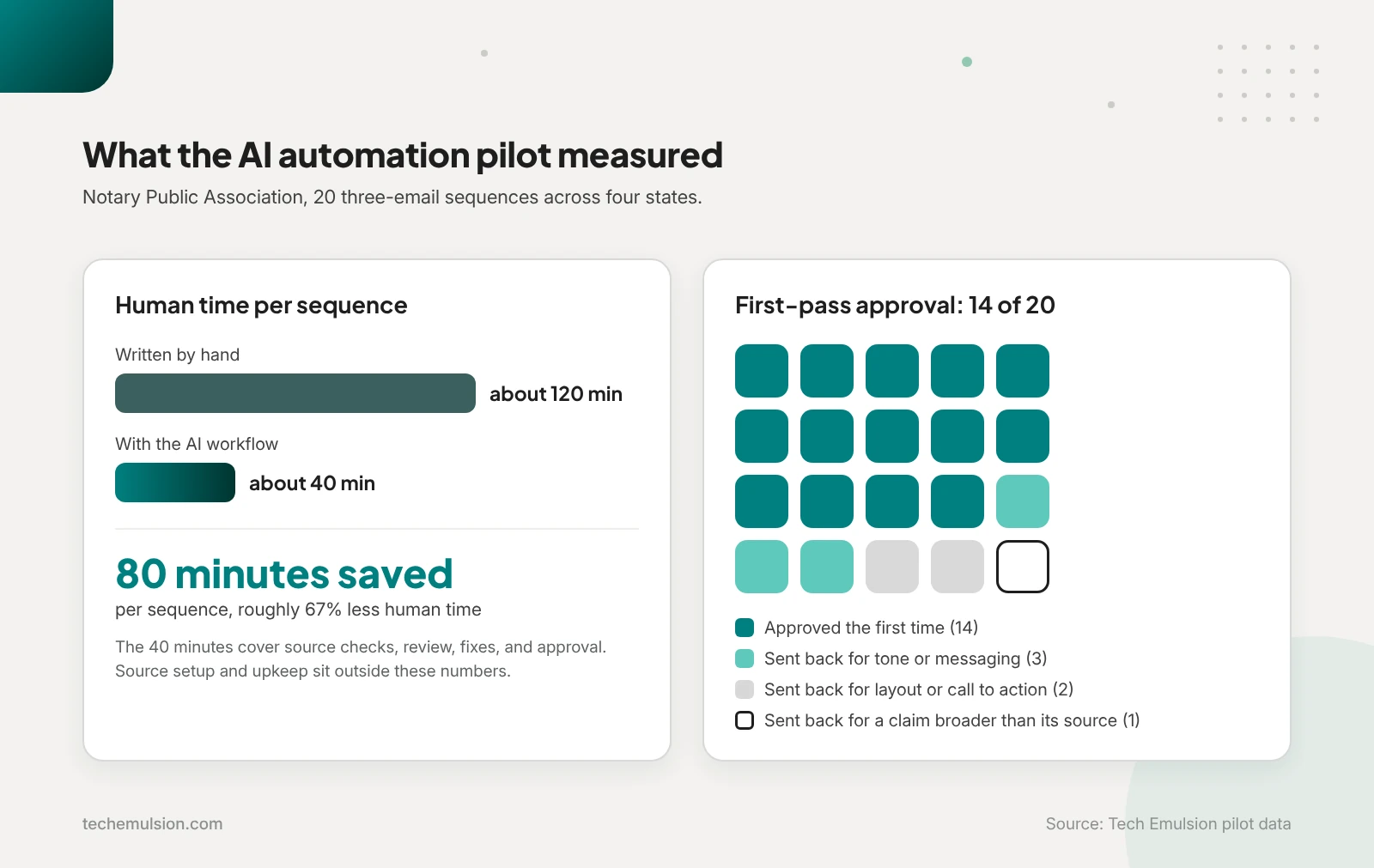
Those 40 minutes cover checking sources, reviewing copy and design, making corrections, and approving, and two costs sit outside them. The first is preparing the sources up front, and the second is ongoing maintenance, meaning updating state references, checking integration failures, and reviewing why drafts came back. Once both are counted, the net time recovered from the formula above sits below 80 minutes per sequence. So we planned for that maintenance from day one as part of operating the system, because AI ops and ownership is what keeps AI reliable in production.
When do you need a custom layer between the AI agent and your apps?
My rule at Tech Emulsion is simple: use direct connections until there's a specific business requirement your existing tools can't reliably enforce. So if an agent is reading campaign results, summarizing customer feedback, or preparing a draft for review, I start with the available connectors, since that work is easy to inspect and a failed run is easy to recover from.
Before adding anything, I also check what the existing software already handles, and if its native workflows provide the right conditions, permissions, approvals, and execution history, we use those. After all, connecting several apps doesn't automatically justify building another application.
That changes once a workflow needs controls across apps that must hold regardless of what the agent decides, which is where a custom layer becomes useful. At Notary Public Association, those controls were the correct state context, approval tied to an exact version, safe recovery from failures, and firm limits on what the agent could reach, with sending credentials kept out of its hands.
Take approval as an example. If someone approves an email and the agent then changes a state requirement in it, that approval should become invalid, and a prompt saying "always ask before sending" can't maintain that link by itself.
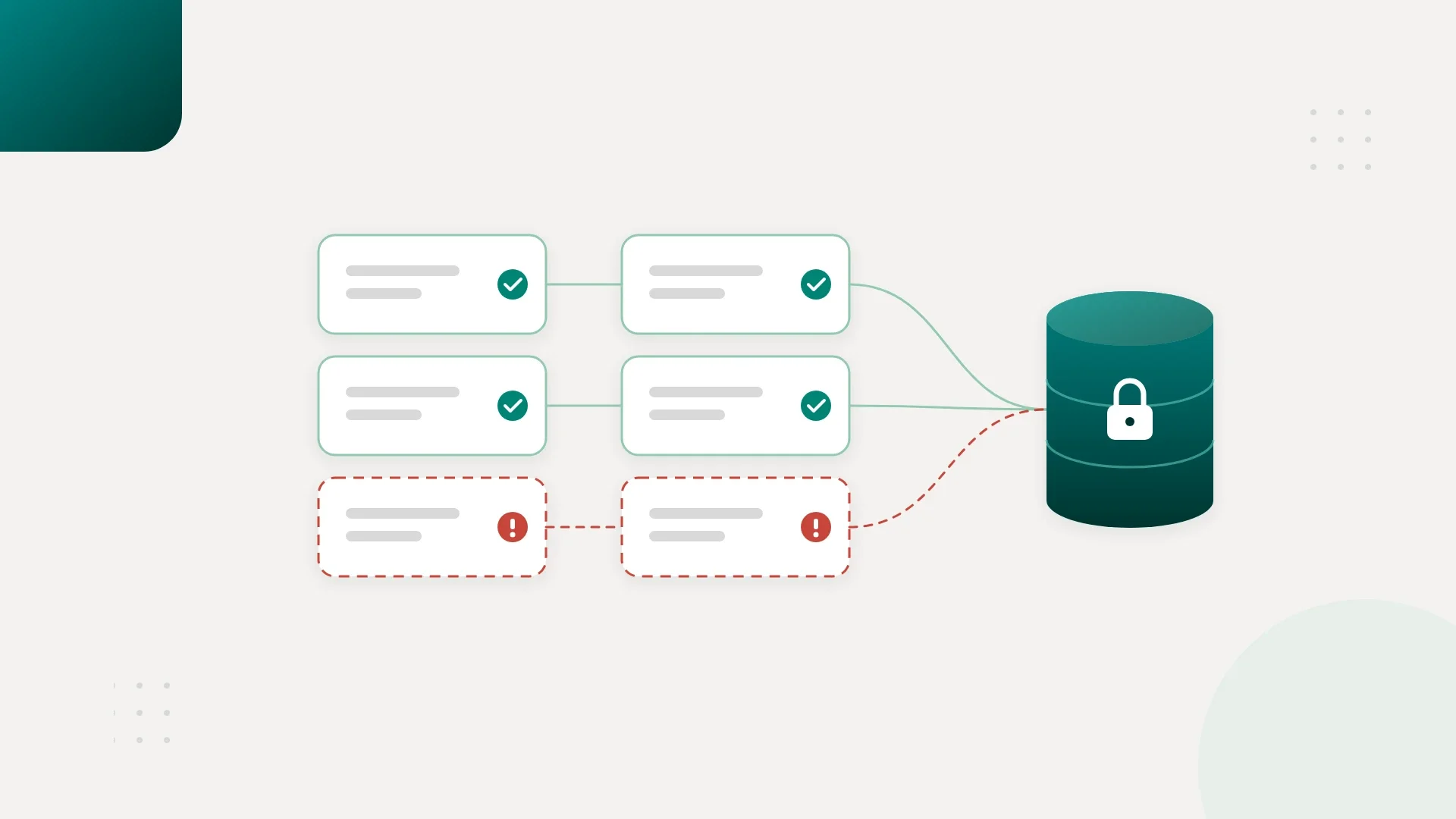
An API timeout raises the same kind of problem. Klaviyo might have created the draft even though our service never got the response, so a blind retry could create a duplicate, which means the service has to reconcile what happened before trying again. Those are predictable software problems, so I want code handling them. For that, PostgreSQL gave us a durable record of which step finished, which draft belonged to the job, which references supported it, and which version a person approved, and that record had to outlive any single conversation or agent run.
All of that code carries a maintenance cost, and I count it up front, because someone has to own hosting, backups, API changes, monitoring, and recovery. For a business preparing a few drafts now and then, that cost can make manual review the better investment, which is the same logic I use when owners ask whether to build or buy an AI agent. So I start with the smallest addition that provides the missing control, like one validation endpoint or a workflow platform with persistent storage, and a TypeScript service with PostgreSQL only becomes worthwhile when the requirements justify owning it.
How do you design the first workflow so new agents plug in later?
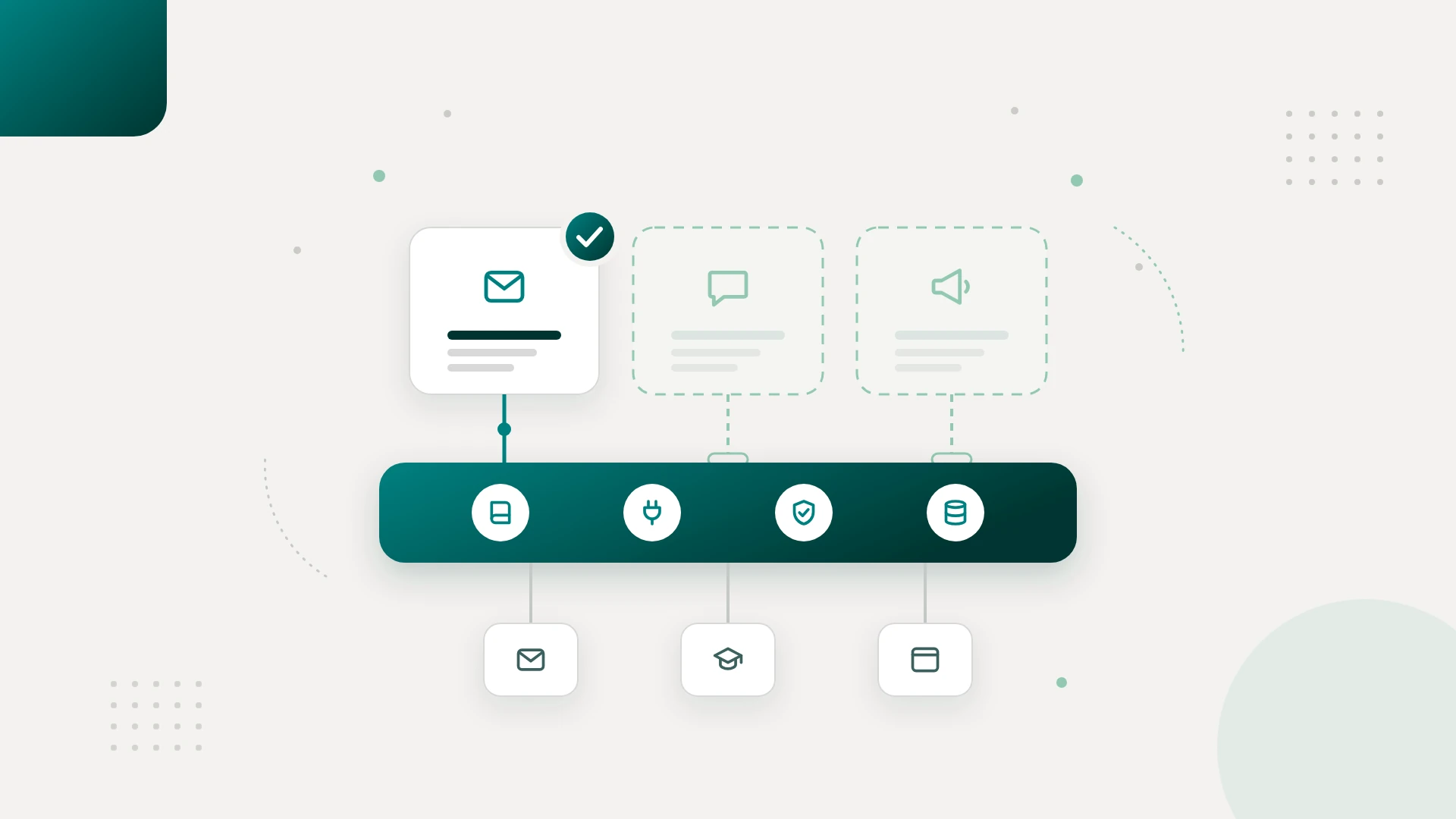
At Notary Public Association, we built email as the first workflow on a shared foundation that other channels can use later. Only email shipped in that first release, so the next channels depend on five decisions we made early:
- Knowledge lives outside the prompts. State requirements, citations, approved product descriptions, course links, and brand guidance sit apart from Grok Bot's instructions, and each requirement carries its own version and review status, so an email, social, or ads agent can request the same information. Since every requirement is versioned, a change lets us find each draft built on the old version and send it back for review.
- Each app gets its own connector. Grok Bot requests defined operations from our TypeScript service, and platform details like a Klaviyo template ID stay inside the email connector. That way, a future social or Google Ads connector can reuse the same job and approval system.
- Every proposed action gets the same record. PostgreSQL stores the account, channel, action, content version, sources, required approver, status, and any external draft ID, while the approval itself stays specific to each channel. For email, sign-off covers content, design, and audience. By the same logic, a social post would need sign-off on content, artwork, and publishing details, and a Google Ads change on claims, targeting, and spend.
- Approval rules sit outside the agent's instructions. The backend checks for the required approval before anything executes, so a new agent starts with no permission to publish posts or change ad spend. From there, each channel gets its own allowed actions, approvers, and limits.
- Failure handling and tests are shared. Every job records its completed steps, so a failed integration resumes from a known point and ambiguous writes get checked before any retry. Alongside that, reusable checks cover missing state information, unsupported claims, outdated references, and edits made after approval.
Even with that foundation, a Google Ads rollout would still need conversion tracking, targeting decisions, platform policy checks, and controlled testing. The difference is that the effort goes into the advertising workflow itself, and building connectors, job records, and approval checks like these is the core of our agentic AI engineering work.
Questions owners ask before building an AI automation architecture
What does an AI automation build cost?
At Tech Emulsion, Discovery runs one to two weeks for a fixed fee agreed upfront, and the first workflow runs as an AI Sprint at a fixed price quoted by scope, typically over four to eight weeks. Within those quotes, I keep the build cost separate from ongoing AI usage, software subscriptions, hosting, and maintenance, so the paid pilot can show the human time left after review. Once the workflow is live, ongoing work can be handled by an embedded engineer from $15 per hour, full-time at 40 hours a week or part-time, with a two-month minimum and 30 days' notice to cancel.
Can an AI workflow run while I'm not watching?
Yes, within limits we define up front and enforce in the system. Inside those limits, drafting and record checks can run automatically, while publishing or changing ad spend can require approval. And if information is missing or a claim is unsupported, the system should put the work on hold and notify someone.
Do I need written SOPs before automating anything?
No, we can document the first workflow together, which is how Notary Public Association got its first SOP. To do that, I need one person who knows the process, a few recent examples, an explanation of what happens when something goes wrong, and agreement on which decisions stay with a person.
What happens to my customer data?
Before connecting anything, we map what information the workflow needs, which providers receive it, and who can access it. With that map, we check each provider's data-handling terms, limit permissions, and keep credentials out of the agent's prompts, so a social content agent, for example, gets audience context without individual customer records.
Who owns the system and fixes it after launch?
You own the custom code, accounts, and documentation, and we agree on a maintenance owner up front, because APIs change, workflows fail, and source information needs updating. That owner can be us, with ongoing support, or your own team after a handover. Either way, on the Notary Public Association build, a designated person on the client's side still approves changes to the state requirements.
Start with one workflow
If you're ready to try this, bring us one recurring process that takes too much time or involves too many manual handoffs. On a free intro call, we'll look at that process, your tools, the bottleneck, and what a useful first result would look like. From there, our Discovery engagement gives you a workflow review, an architecture outline, the risks and milestones, and a fixed written quote in one to two weeks, and you keep every document whether or not you build with us.