
Time-stamp your last five onboardings. Signature date on one side, first report with real platform data on the other. Whatever that gap is at your agency, one step owns most of it. Almost every time, that step is access.
Agency owners ask me whether to wire onboarding in Zapier, buy a portal, or pay someone to build it. The question points at the wrong layer. Client onboarding automation for marketing agencies is an access-provisioning problem wearing a project management costume. Automate the project management half and you save 40 minutes per client, then conclude that automation does not work.
What should client onboarding automation for marketing agencies do first?
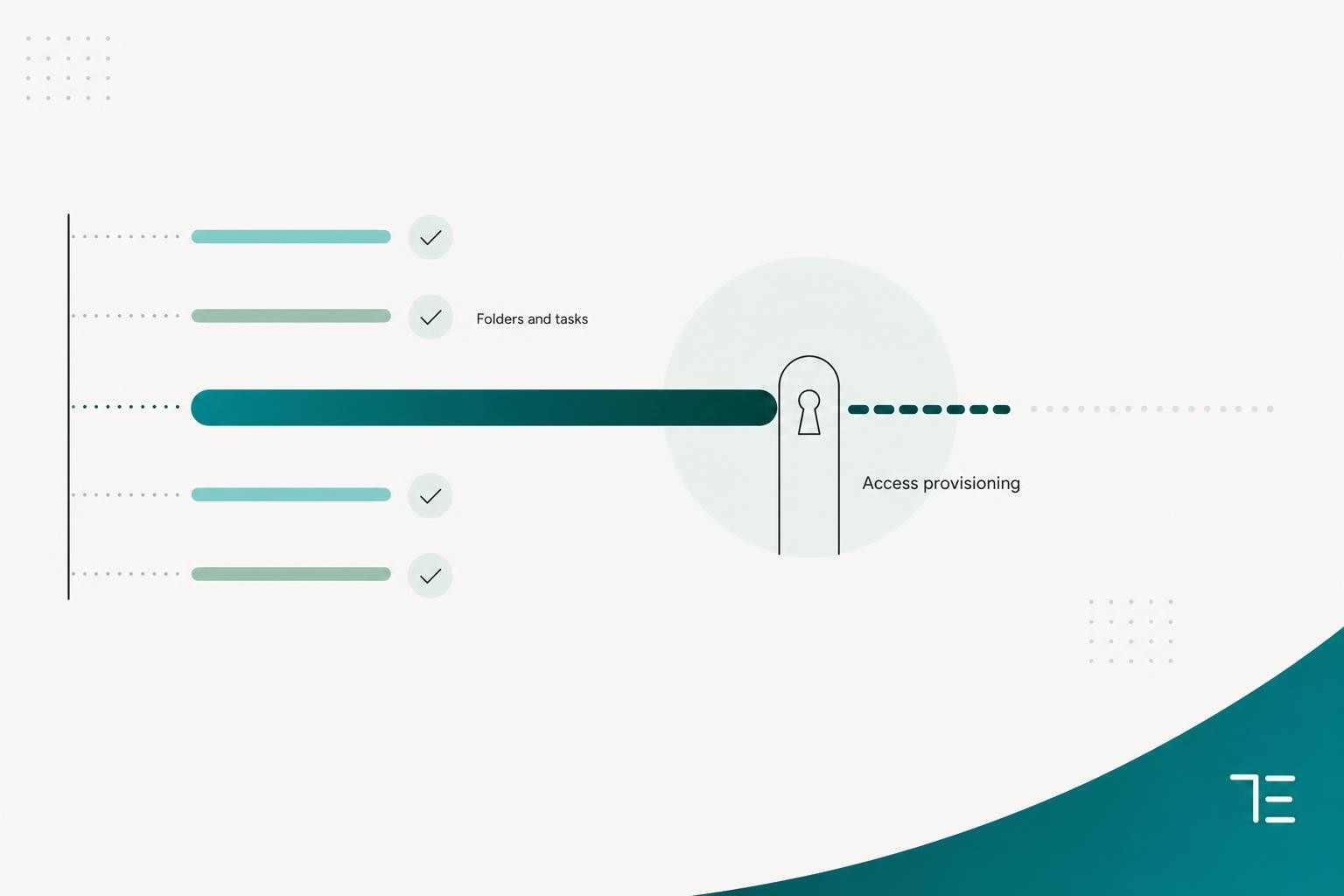
Access provisioning first, brand asset intake second. Those two steps own most of the elapsed days between signature and the first real report. Folders, task templates, kickoff invites and welcome emails come after, because you can wire them in an afternoon and they save almost nothing.
Rank your onboarding steps by elapsed days. Task count hides where the time goes. That reframe does most of the work, and it is where I start on every automation build for a marketing agency.
Take a hypothetical agency signing six clients a month. Contract signed to access confirmed on every platform runs into days. The delay comes from a chain of human handoffs across two companies, and everyone in that chain is doing their job.
Your account manager (AM) emails the client's marketing manager. That person does not own the Meta Business Portfolio, so they forward the request to a founder, or to the agency that ran social two years ago. Three days later you get back the wrong permission level.
Brand asset intake behaves the same way and usually overlaps the access wait. Logos and fonts live on someone's laptop. Everything else combined takes hours: folders, task templates, kickoff invites, welcome emails.
One caveat on the evidence. This pattern comes from ticket timestamps on Tech Emulsion builds where we waited on the same access the agency waited on. I have no instrumented dataset across a portfolio of agencies, so measure your own before you buy anything.
Pick the trigger, because you are really picking a system of record
My default rule is to trigger on the countersigned contract event from the e-sign tool. Account managers drag deals to Closed Won optimistically. The signature event is the one fact in your pipeline nobody rounds up.
Two exceptions. Trigger on first payment received if you have eaten unpaid work in the last year. Trigger on the deal-stage change if your contract lives in the CRM as a quote object and the signature writes back automatically.
First payment is the safest trigger commercially and the worst one for cycle time. Net 30 terms mean your access request goes out a month after signature. The compromise I like: fire on signature, gate the first billable task on payment. Two events, two gates.
Measure four numbers of your own
Most of the onboarding percentages repeated across this topic trace back to vendor surveys of a few hundred people, several years old. The vendor pages promising a big cut in setup time attach no methodology at all. None of them measured your agency.
Track these four:
- Onboarding cycle time, from signature to live in the CRM.
- Access-provisioning lead time, per platform.
- Asset-intake completeness at day seven.
- Days to first reportable result.
The last one ties onboarding to the thing it exists to unblock. If reporting is still manual, faster onboarding just moves clients into a queue. We usually pair the two, which is why automated client reporting for agencies is the step after this one.
How do you get Meta and Google Ads access without asking for the client's password?
Use native partner and manager invites, and pre-check the client's account structure before the request goes out. Shared logins stay off the table. Most bounced requests trace back to account structure or to the wrong person receiving the request, and both get fixed before you click send.
Where the Meta partner flow forks
Adding a partner in Meta Business Settings needs the partner's business ID, and the flow forks. One path gives a partner access to your assets. The other asks a partner to share their assets with your business. People who have done it once get this backwards.
The fix is a better request document. Put your business ID in it as copyable text and record a 90-second screen video of the click path.
The worst case is third-party ownership, and it fails silently. The client's marketing manager opens Business Settings and sees the Page. They assume they can share it. They cannot.
The Page sits in a Business Portfolio owned by the agency that ran their social two years ago. Meta's documentation tells the partner to contact that business directly, and there is no in-product escalation.
So the client says done. Your AM believes them. Four days later someone tries to schedule the first post and finds nothing there.
Design for that. The access step has three states: requested, confirmed and blocked. Only a successful read against the asset flips it to confirmed. After 48 hours still in requested, the workflow branches to a human with a pre-drafted email about ownership.
Why Google Ads link requests bounce: people first, manager account limits second
The most common reason is a mismatch of people. The link request lands as a notification inside Google Ads, and the person you emailed never signs into Google Ads. It sits for a week and expires.
The second reason is structural. Google Ads manager accounts, which most people still call MCCs, come with hard limits set out in Google's own documentation:
- An account can be directly managed by at most 5 manager accounts.
- A manager account can be directly managed by at most 1 other manager account.
- A client account structure can be at most 6 levels deep.
Often three of those five manager slots belong to dead agencies nobody removed. There is a nastier version too. An individual account cannot be linked twice inside the same manager hierarchy. If you run a parent MCC with sub-MCCs per pod, and the client sits under one from an old engagement, the second link fails with an error that explains nothing.
So pre-check. Read the existing manager links and count them, and look for anything already inside your own hierarchy. At five, the workflow skips the request and routes to a human with the list, so the AM can ask the client which links to remove.
Clients also stall because they believe linking hands over the account. Say out loud that linking leaves the account with them. Our client-facing email carries three things: our manager account ID in plain text, the click path (Tools, then Access and security, then Managers), and four reassurance lines adapted from Google's own linking documentation:
- Your team keeps its existing sign-in and permissions.
- Your billing and payment methods do not change.
- Your account history stays intact.
- Linking does not by itself give us administrative ownership, which is a separate setting you control.
That last line matters more than people expect.
When a client emails you a password
We do not accept it. My reply, roughly: "Thanks, and please change that password today. We do not store client logins, and an emailed password now sits in two mailboxes and every device syncing them. Here is the same access as a proper invite. It takes about three minutes and leaves your account under your control."
The platform path follows, with our business ID and MCC ID inline so nobody has to hunt. The workflow never touches the credential. If one lands in an intake free-text field, the pipeline blanks the field before writing to the CRM and pings the AM. Blank it in the pipeline, or your CRM becomes a credential store: backed up, searchable, readable by every seat you have.
Shared logins also kill accountability. Once two people use one login, you cannot prove who changed what.
What does an automated agency onboarding workflow look like, step by step?
Here is the spec we build, close to identical every time. Picture a 12-person agency signing six clients a month on HubSpot, an e-sign tool and ClickUp.
Trigger: countersigned contract webhook from the e-sign tool into n8n. The deal ID is the idempotency key, meaning the same event processed twice still produces a single folder tree.
- Write back to the CRM: onboarding stage and start date.
- Send the intake form, pre-filled from CRM fields so nobody retypes their own company name.
- Create the Drive folder tree from a template, named clientID-clientname so nothing collides at client 40.
- Build the access request. One link covering Meta, Google, TikTok and Shopify, plus a per-platform document with your business ID and MCC ID in plain text.
- Pre-check the Google Ads structure before that request goes out.
- Human approval gate. Nothing from steps 2, 4 or 8 reaches the client until an account manager clicks approve.
- Spawn the task template with owners and dates.
- Send the kickoff invite plus a Slack notification to the client channel.
- Run the nudge ladder with a named owner per rung.
- Poll for access confirmed. Access requested is a different state, and only a successful read against the asset counts.
Steps 5 and 10 are the whole build. Everything else is plumbing.
The hardening is most of the work
I have no clean hours log for an onboarding-only build, so I will not quote one. The closest number I can stand behind is the reporting agent we built for a 25-account agency, because the shape is the same: single-client MVP in 1 to 2 weeks, production in 4 to 6 weeks. Most of that gap was error paths, retries and state checks.
The happy path here is a day or two of building. Then the real work starts, in the order it bites.
- Idempotency. Webhooks fire twice. Someone re-sends a contract. Check a deduplication key before any create action. Skip it and client three gets two folder trees and two kickoff invites.
- Dead-letter alerting, meaning every failed run lands somewhere a human sees it. A failed run nobody sees is worse than no automation, because your AM assumes the machine handled it. Every failure posts to a Slack channel with the deal ID and step name, and one person owns that channel.
- State polling. Access confirmed is verified by reading the platform. A callback only proves the request was sent. Each platform reads differently, and this is the expensive one.
That split is what we cover in workflow automation builds with n8n. Budget a third of your time for the build and the rest for the parts nobody demos.
What does client onboarding automation cost at 5, 20 and 50 clients?
Around $20 a month at five clients on either billing model. Under task billing you pass the 750-task entry plan at 15 new clients a month, before counting any other Zap you run. The billing unit decides everything after that.
Zapier counts every action a Zap performs as a task, and at the time of writing the entry paid plan is $19.99 a month for 750 tasks. n8n counts one workflow run as one execution, no matter how many steps run inside it. Check both vendors' current tiers on the day you model this, because they move.
Here is the math with the assumption stated, because the assumption is where vendor comparisons cheat. Count the ten-step workflow above, plus the nudge ladder, plus daily polling for about ten days, plus branch and error paths. In Zapier that adds up to about 50 tasks per client, far beyond the ten steps in the spec. In n8n it is closer to 20 executions, and only because nudges and polls run as separate scheduled jobs.
- 5 clients a month: about 250 Zapier tasks or 100 n8n executions.
- 20 clients a month: about 1,000 Zapier tasks or 400 n8n executions.
- 50 clients a month: about 2,500 Zapier tasks or 1,000 n8n executions.
The flip case is real. If your onboarding is genuinely five steps and you never touch anything else, Zapier is cheaper than the hour you would spend learning n8n. Task billing only punishes you when workflows get chatty, and ours always do. Add the costs people leave off the model too: access-request tooling, e-signature seats, a form builder, password manager seats.
Should you buy a client portal, buy an access tool, or build the workflow yourself?
Under 2 new clients a month, stay manual with a good access document. Between 2 and 8, buy a one-link access tool and wire one workflow. Above 8, or with a multi-brand client base, build it and own the code.
Each option fixes a different problem:
- A client portal fits when clients complain about scattered communication. It leaves access provisioning untouched, and access is the long pole that sets your total elapsed time.
- A one-link access tool fits when access is your only broken step and your clients look alike. It leaves intake, folders, tasks and escalation to you.
- A workflow build in n8n, Make or Zapier fits at 8 or more clients a month, with multi-brand accounts, and with someone who owns it. Without an ops and ownership layer after launch, it fixes nothing for long.
Take an agency doing one or two new clients a month at high ticket. Their bottleneck is proposals. At that volume a workflow saves maybe two hours a month, and you will rebuild it once a year because HubSpot changed something. Stay manual.
Now take one signing 4 to 8 clients a month with access as the only broken step. Buying beats building, and one-link access tools like Leadsie exist for exactly this branch, including the case where the client has no Business Manager yet. Compare their platform coverage and pricing against your own list before you write a line of code. Tech Emulsion does not sell that, and I still tell agencies to look at it.
Three tipping factors, in order:
- Is access your longest pole, or are you annoyed by folder creation.
- Do your clients look the same. Multi-location brands and procurement departments bend an off-the-shelf tool until it breaks.
- Does someone own the workflow after launch. Building it is the easy part. If the owner is the founder in his spare time, buy.
The same thresholds show up in build versus buy on agency reporting.
Where does automated onboarding break, and where should a human stay in the loop?
It breaks on the non-responsive client, and that is a queue failure. The technology keeps running.
Say an agency has eleven onboardings in flight and three of them have sat untouched for a month. Nothing failed and no error fired. The client had not clicked the access link, and the escalation rule was "day 14 someone follows up." Someone is not a person.
The first fix is a nudge ladder: a fixed sequence of reminders with a named owner for each rung and a hard stop at the end, run per outstanding item. A generic "we are still waiting on a few things" email is easy to ignore. One outstanding item per message, with the exact click path, gets acted on.
- Day 0: the request goes out from the AM's real address, sent by the workflow. A noreply address trains the client to ignore the thread.
- Day 2: automated reminder in the same thread, so it bumps in the inbox.
- Day 5: new subject line naming the consequence in dates, with the AM copied in.
- Day 9: the workflow stops emailing and creates a call task for the named AM. Phone, then text.
- Day 30: aging cap. Flag for a pause-or-rescope decision.
The second fix is a stalled-onboarding digest. Every Monday, one Slack message listing every in-flight onboarding, the step it is stuck on, days elapsed, and the owner. Ugly plain text, sorted by age. That single message does more than the whole ladder, because it makes stalls visible to the person who cares about revenue.
The three things I will not automate
Same reasoning for all three. Anything where being wrong is expensive and being fast is worthless.
Permission-level decisions stay with a human. The workflow can request access. It cannot decide whether you need admin or analyst on a Google Analytics 4 (GA4) property. Default to least privilege plus a human who can justify more.
The first human contact after signature stays human too. Automate the scheduling. Write the message yourself. Clients can tell, and the moment they feel processed you have spent goodwill you needed for the next four weeks.
Marking anything live stays manual. Live in the CRM should mean a person confirmed the access works. A webhook returning 200 only means a request was accepted.
Approval gates belong in exactly three places: before any message reaches the client, before any change to an access request template ships, and before the live flag flips. A bad template goes to every client at once, which is how you send fifty people the wrong business ID. That is what human-in-the-loop automation means in practice.
Where an LLM belongs here
Three jobs, none of them touching permissions. Tech Emulsion is an official Anthropic Claude Partner, and we use Claude via the API inside the n8n run for:
- Turning intake answers into a kickoff brief with fixed sections and open questions for the call.
- Normalizing messy inputs, like "our blue" and a paragraph of competitor names, into fields.
- Drafting the platform explainer when a Meta request stalls on third-party ownership.
Every output goes to a human first, so wrong means wasted minutes. The kickoff brief is the valuable one, because it surfaces contradictions like a client asking for lead gen while describing an e-commerce catalog.
Failure handling is the part people skip. If the API call fails or returns malformed JSON, the workflow retries once, then writes the raw intake with a header saying summarization failed and pings the AM. It never quietly produces an emptier brief. The same principle drove the reporting agent build.
If you cannot name the model, the job it does, and what happens when it fails, keep AI out of your onboarding.
How do you revoke client access when the contract ends?
With the same access map, read backwards, triggered by the same CRM stage change. Most agencies I look at are still holding admin on churned clients' ad accounts.
Pull the user list on every Google Ads, Meta, GA4 and Search Console asset you can see, then compare it to your active client list. The two rarely match. Nobody did this on purpose. Access accumulates, and you end up holding admin on the ad account of a company that is now your current client's competitor.
The runbook fires on Churned or Contract Ended and generates a task list. Automatic deletions stay out of it, because revoking the wrong thing at the wrong moment is its own incident. Work the map platform by platform:
- Meta: remove the partnership in both directions, since sharing runs both ways.
- Google Ads: unlink the manager account and confirm it, because an unlink can sit pending until someone accepts it.
- GA4, Search Console, Tag Manager and Google Business Profile: remove every user tied to your agency.
- Shopify and anything else on the map: remove your staff or collaborator access.
Then the rest. Rotate anything ever shared, revoke vault access, and test that revocation actually blocks retrieval. If you cannot prove revocation works, all you have done is change a setting.
Pull the access logs while you still can, and archive the Drive folder to a retention location. Deleting it destroys records you may need later.
Last step: a written confirmation to the client listing what was removed. It costs nothing and it is the cheapest referral generator in offboarding. Build it the same week as onboarding, from the same map.
Frequently asked questions
Can I automate Meta and Google Ads access requests completely, or does a human always have to step in?
You can automate sending the request, pre-checking the structure, and polling for the confirmed state. The case where a different business owns the Page or ad account needs a human, because Meta's documentation tells the partner to contact that business directly and there is no in-product path. Design that branch to hand off with a pre-drafted email, and keep an approval gate before anything reaches the client.
How many client accounts can my agency manager account hold?
Google's documentation caps a manager account at 85,000 linked accounts, but your real limit derives from your highest total monthly spend across the last 12 months. If that spend never reaches $10,000 USD, the floor is 50 accounts. Manager accounts also count toward the limit on accounts per email address, so a pod-based MCC structure eats into that allowance faster than owners expect.
What is the fastest way to find my Meta business ID and MCC ID so clients can grant access?
Your Meta business ID sits in Business Settings under business info. Your Google Ads manager account ID is the 10-digit number at the top of your MCC. Put both in one client-facing access document as copyable plain text, because half the delay in access requests comes from clients hunting for numbers you already know.
Do I need Zapier, Make, or n8n, or can my CRM handle onboarding automation on its own?
If your onboarding is five steps and lives entirely inside HubSpot or Close, native workflows are enough. The moment you need to read a platform's access state, retry a failed call, or branch on a structural pre-check, you need a real automation layer. Choose on billing unit: task-based billing punishes chatty workflows, and execution-based billing charges the same whether a run has five steps or fifty.
Does automated onboarding make the client experience feel impersonal?
It does if you automate the wrong things. Automate scheduling, folder creation, reminders and status tracking, and keep the first message after signature and the kickoff call framing human. Clients notice when they feel processed, and you need that goodwill for the next four weeks.
What should be in an offboarding runbook when a client churns?
Remove Meta partner access in both directions, unlink and confirm the Google Ads manager link, and remove GA4, Search Console, Tag Manager, Google Business Profile and Shopify roles. Rotate anything shared and test that vault revocation actually blocks retrieval. Archive the Drive folder to retention, send the client a written list of what was removed, and trigger the whole thing from the same CRM stage change that starts onboarding.
Where to start this week
Day one: time-stamp your last five onboardings. Signature date to first reportable result, plus the date each platform's access was confirmed. Find the single step that ate the most elapsed days. If that step is anything other than access, most of the advice above does not apply to you, and you should say so before spending a dollar.
Days two to five: write the per-platform access request as one client-facing document. Your Meta business ID and MCC ID in copyable plain text, the exact click paths, the four reassurance lines, and a 90-second screen recording per platform. Then automate only two things: intake and folder creation. Leave the rest manual.
Then measure one number for 30 days before buying anything: days from signature to first reportable result. Both timestamps already exist in your systems. You just have to write them to the deal record.
Expect total labor hours to stay roughly flat. Folder creation and welcome emails cost minutes, so automating them returns minutes. Elapsed days are what move, and only if you attacked access and the chase. It is the same pattern I described when asked whether AI agents can replace a marketing team.
If you would rather have the access pre-checks, polling and revocation runbook built properly than assemble them between client calls, that is the work we do in AI automation for marketing agencies. Book a discovery call. Free 30 minutes, no pitch deck.